
ConveyThis は統計を提供しますか?
Yes. Your ConveyThis ダッシュボード shows how much of your plan you use, how translation activity changes day by day, and how many words and visits each translated page has.
What does the Dashboard show?
Log in and open ダッシュボード in the left menu. The four cards at the top show your usage across all your websites:
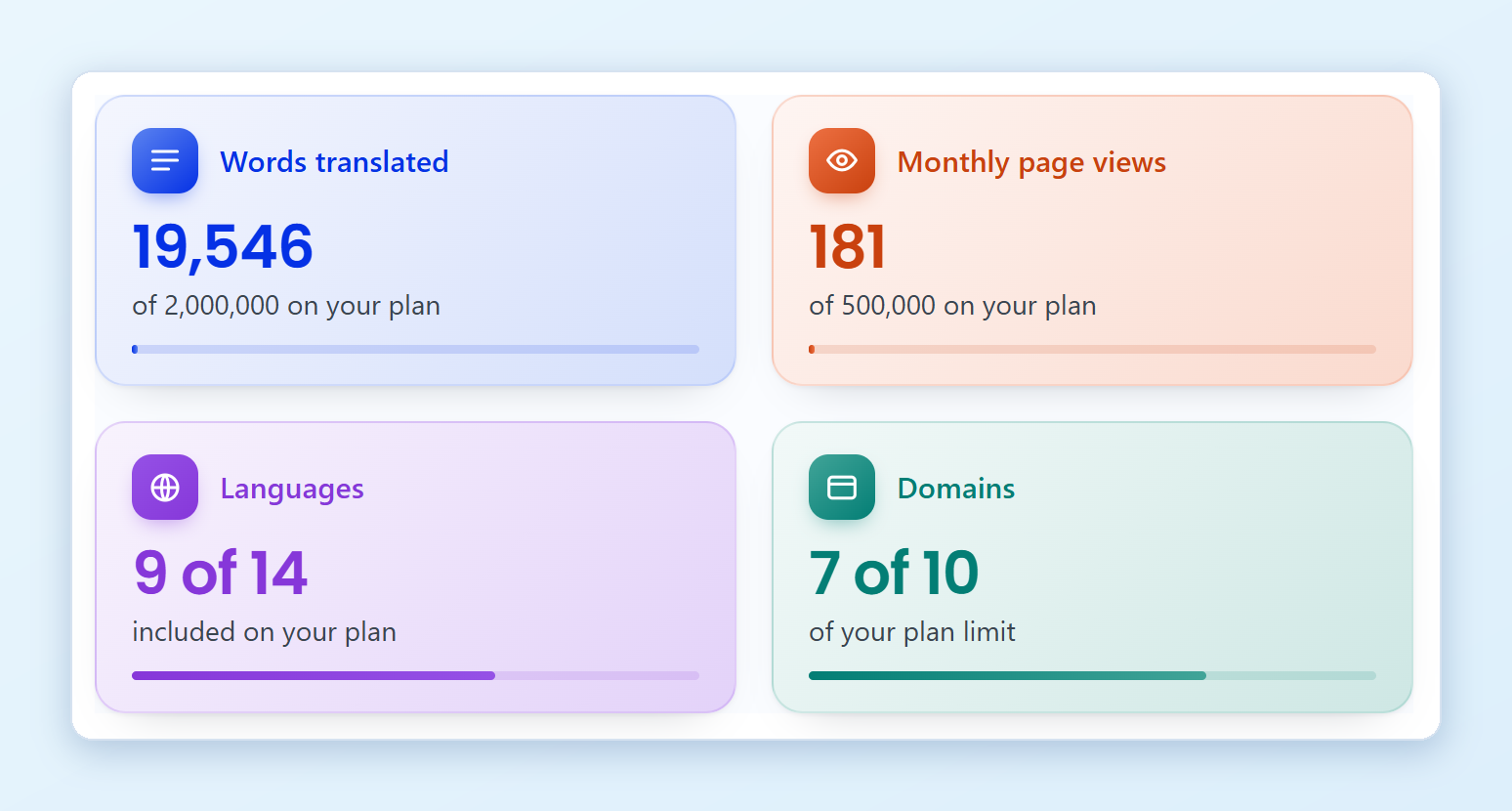
- 翻訳語数: all words translated on your account so far, compared with the word limit of your plan.
- Monthly page views: translation requests this month. Only unique requests count, so cached or repeated views are not counted again. The number starts from zero every month.
- 言語: the translation languages you use, out of the number your plan includes.
- ドメイン: the websites you added, out of the number your plan includes.
The bar on each card shows how close you are to the limit. If you go over your word limit on a paid plan, the 翻訳語数 card turns amber and shows how many words you are over. For what happens next, see 自動アップグレード.
How do I see my activity over time?
Below the cards, 翻訳アクティビティ shows the last 14 days:
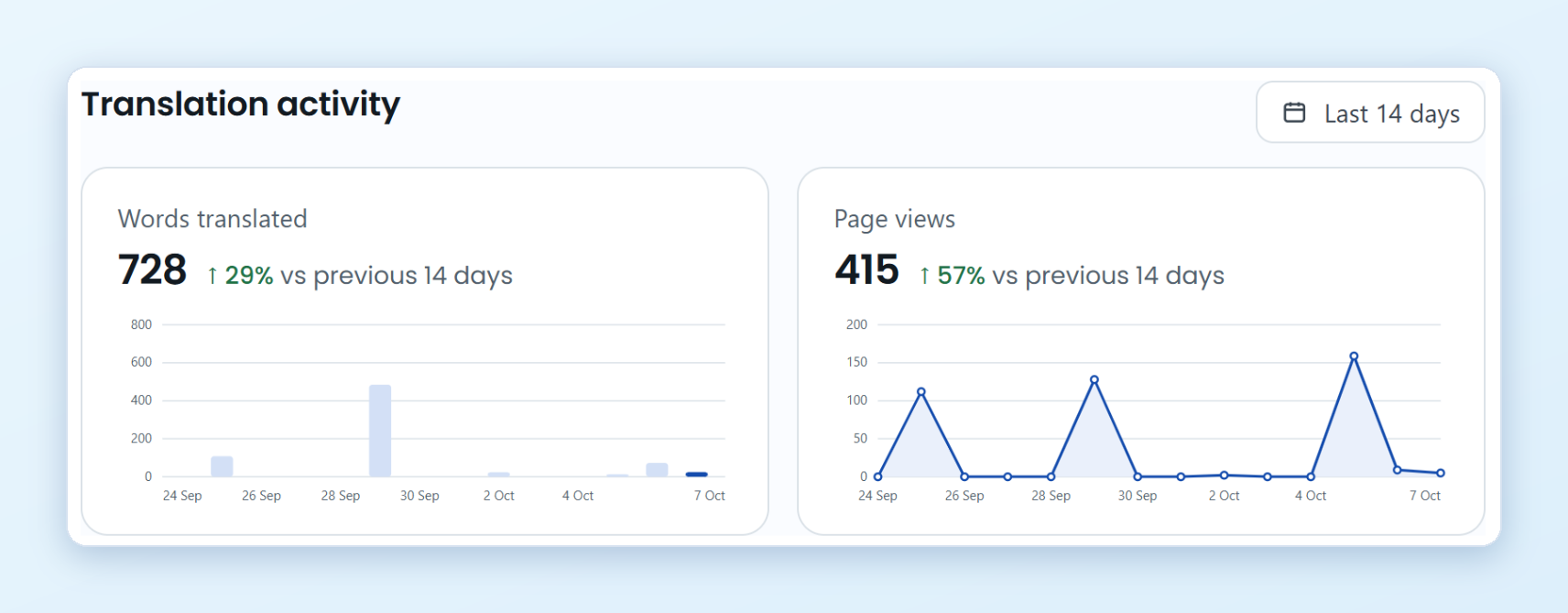
- 翻訳語数: new words translated each day.
- Page views: views of your translated pages each day.
The number next to each total shows the change against the 14 days before. This section appears once your first page is translated.
How much do I save compared to a human translator?
At the bottom of the Dashboard, Your savings estimates what your translated words would cost with a human translator:
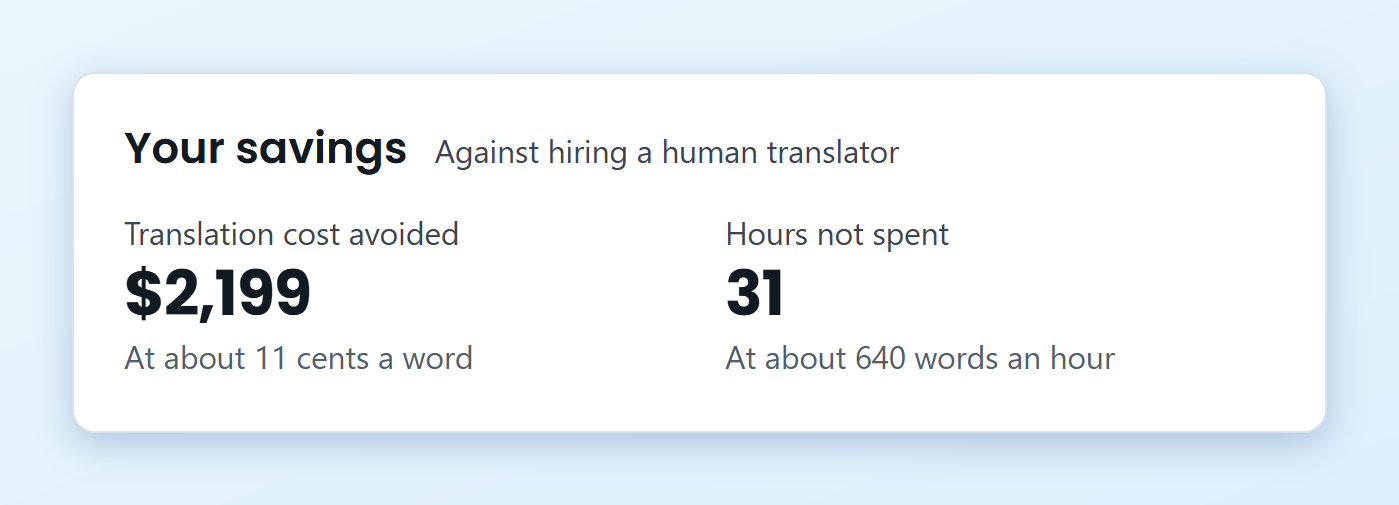
- Translation cost avoided is based on about 11 cents a word.
- Hours not spent is based on about 640 words an hour.
These are estimates based on average industry rates, not an invoice or a quote.
Can I see statistics for each page?
Yes. Click Edit Translations in the left menu and choose your website. The list shows every translated page with two numbers for each language:
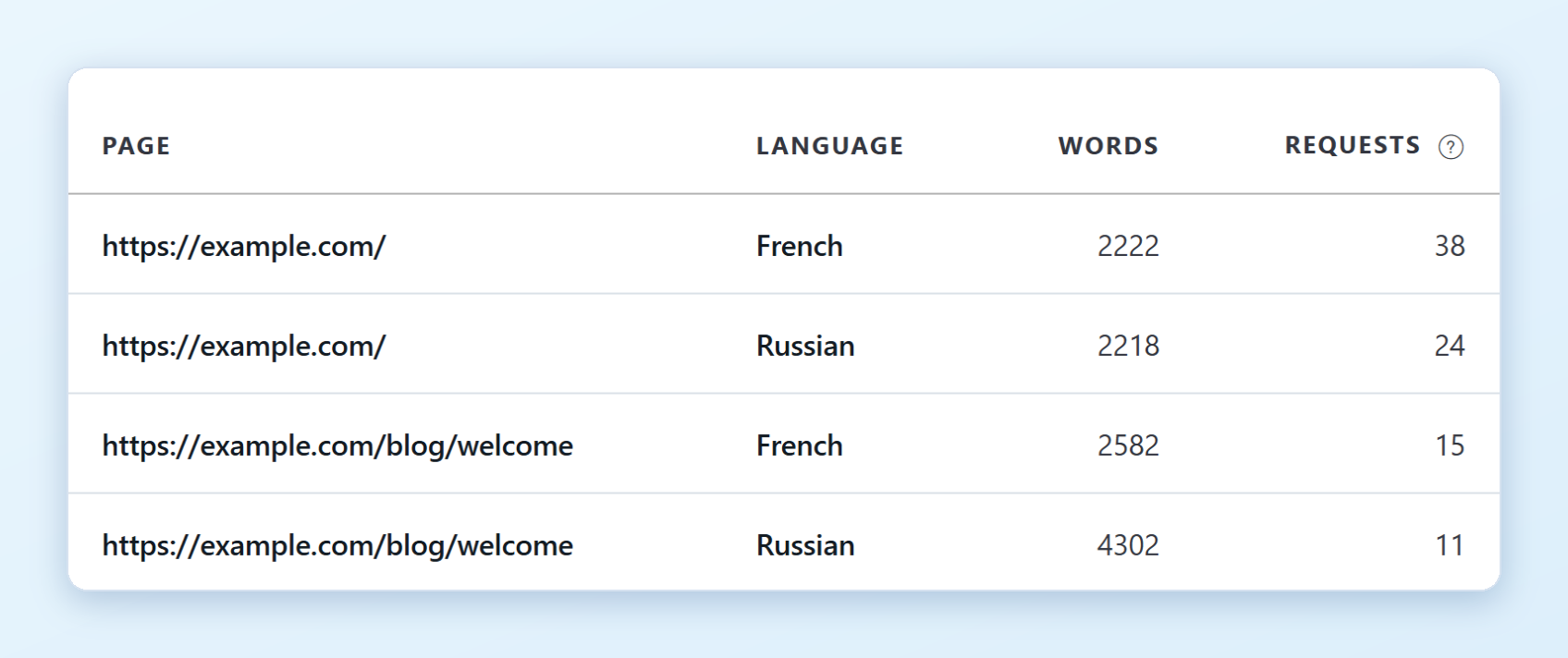
- 単語数: the words translated on that page.
- Requests: unique translation requests for that page this month. Cached or repeated views are not counted.
Click a column title to sort the list, for example to find your most visited pages. Use the language tabs above the list to see one language at a time. From the same list you can open the Text Editor or Visual Editor to change a translation.
I’m a team member. Why don’t I see these cards?
The statistics belong to the account that owns the website. If you were invited to someone else’s website as an admin, manager or translator, the usage counts against the owner’s plan, so the owner sees it on their Dashboard. Admins can see the owner’s plan and usage on the website’s 設定 ページ。