
Integración de SquareSpace
Integrar CoveyThis Translate en cualquier sitio web es increíblemente sencillo y la plataforma SquareSpace no es una excepción. Simplemente siga nuestra sencilla guía paso a paso para agregar ConveyThis a su sitio SquareSpace en solo unos minutos.
1) Crea una cuenta ConveyThis
Para comenzar, el panel de control de su cuenta ConveyThis le permite ver y administrar todas sus traducciones. Simplemente cree una cuenta ConveyThis aquí.

2) Seleccione su complemento a través de ConveyThis
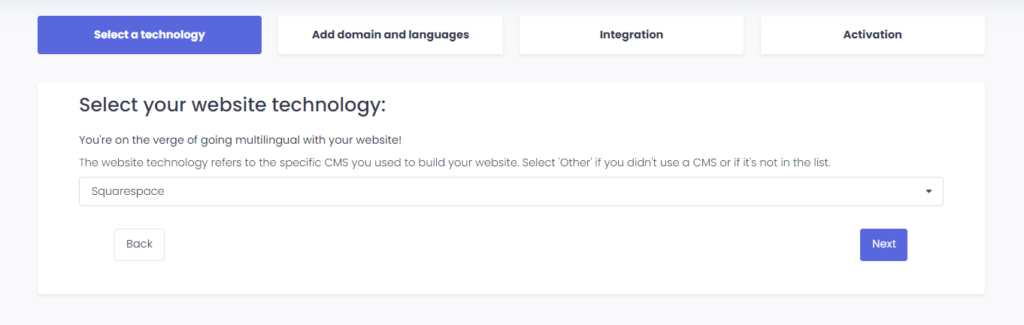
La tecnología del sitio web se refiere al CMS específico que utilizó para crear su sitio web, en este caso es SquareSpace.
Haga clic en “Siguiente” para continuar con el siguiente paso.
Después de hacer clic en “Siguiente”, ingrese su nombre de dominio e indique el idioma(s) al que desea traducir su sitio web.
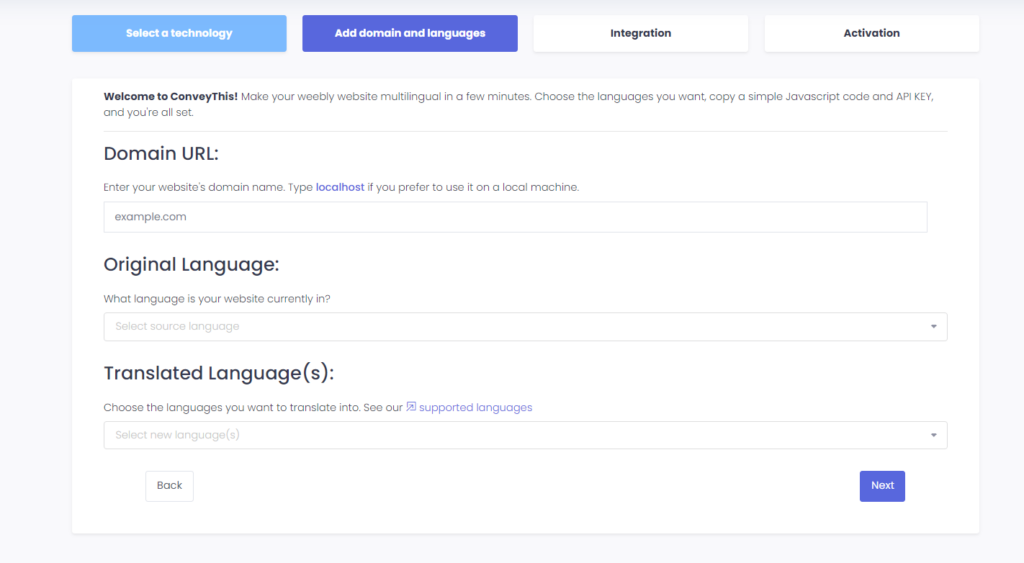
Haga clic en “Siguiente” para ir al siguiente paso.
3) Instale el complemento ConveyThis
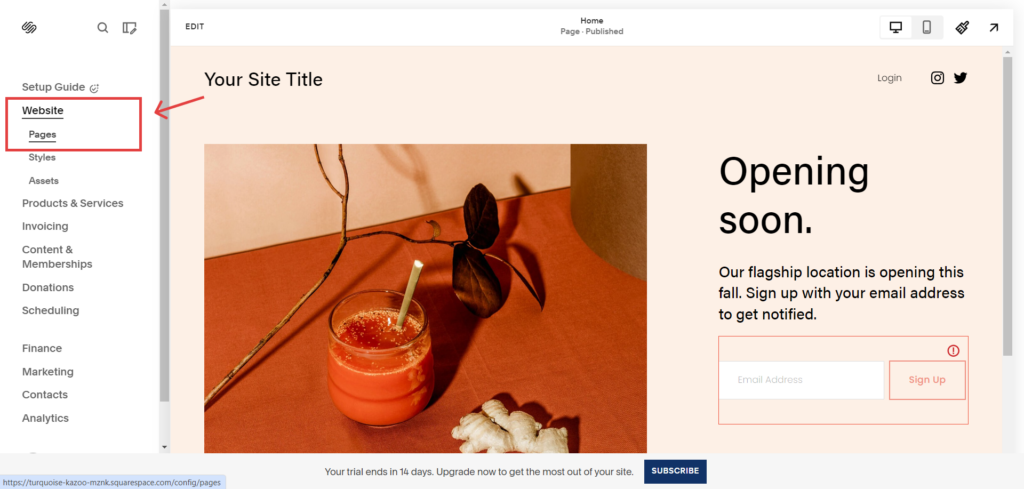
Mientras esté en el sitio web de SquareSpace, navegue hacia el Squarespace panel de control > Sitio web > Páginas.
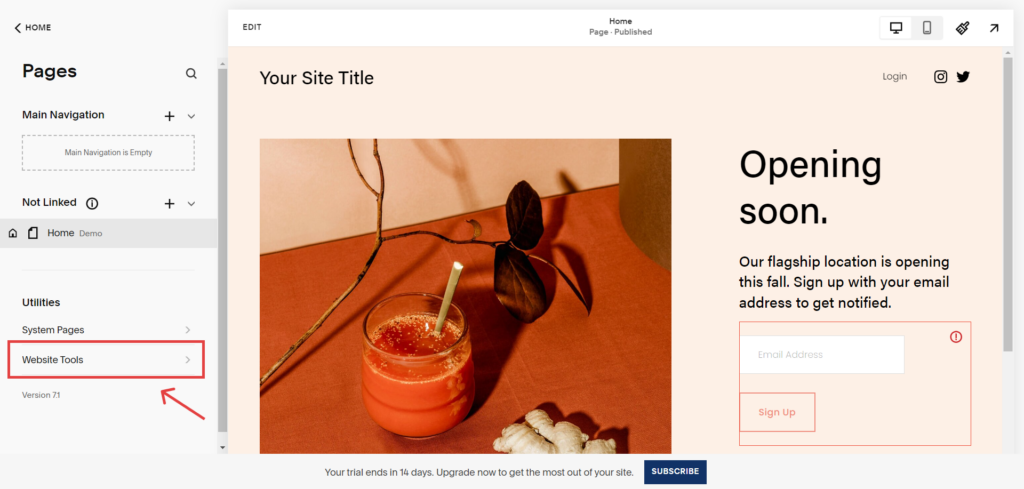
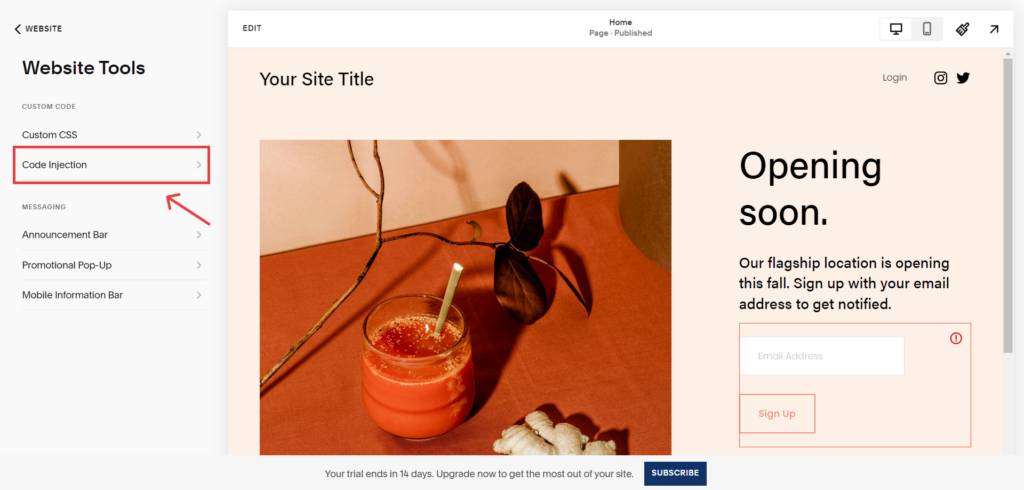
Luego, navegue hasta el “Herramientas del sitio web”.
Después de ser redirigido al “Herramientas del sitio web” página, haga clic en el “Inyección de código”.
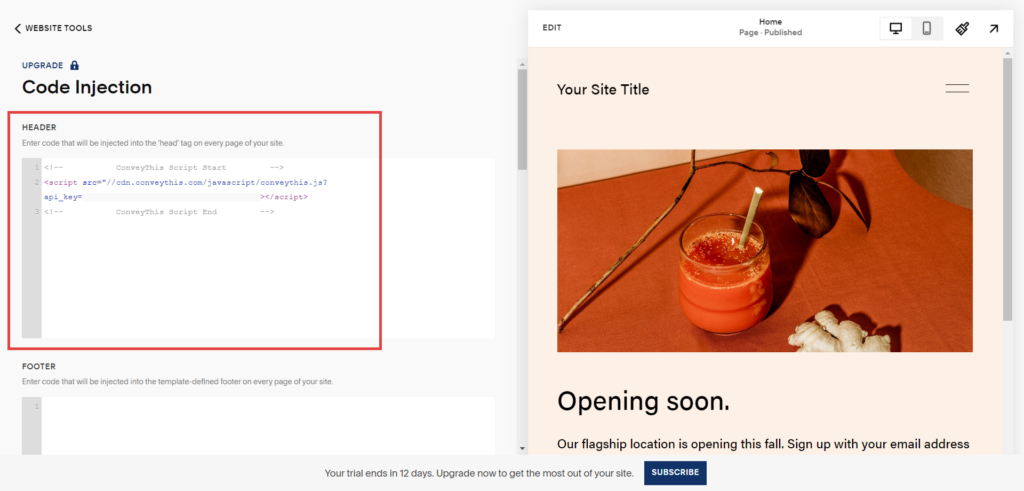
El último paso es insertar el fragmento de código proporcionado por ConveyThis en el cabecera de la configuración del sitio web de SquareSpace y para guardar los cambios.
4) ¡Ya terminaste!
Eso es todo. Vaya a su sitio web y vea el botón de cambio de idioma en la parte inferior derecha. Puede que tarde unos minutos en aparecer, así que no te preocupes si debes esperar un poco.
Intente cambiar el idioma cuando aparezca el selector de idioma–y, como por arte de magia, ¡su sitio web es multilingüe! Ahora puedes ir a tu panel ConveyThis para administrar todas tus traducciones.
¡Felicitaciones, ahora puedes comenzar a traducir tu sitio web!