
How do I translate the Shopify checkout?
Shopify’s checkout is run by Shopify, and apps can’t change it. To translate it, add your languages in Shopify and translate the checkout texts there. It takes a few minutes.
Step 1. Add the language in Shopify
In your Shopify admin, go to Settings → Languages and click Add language.
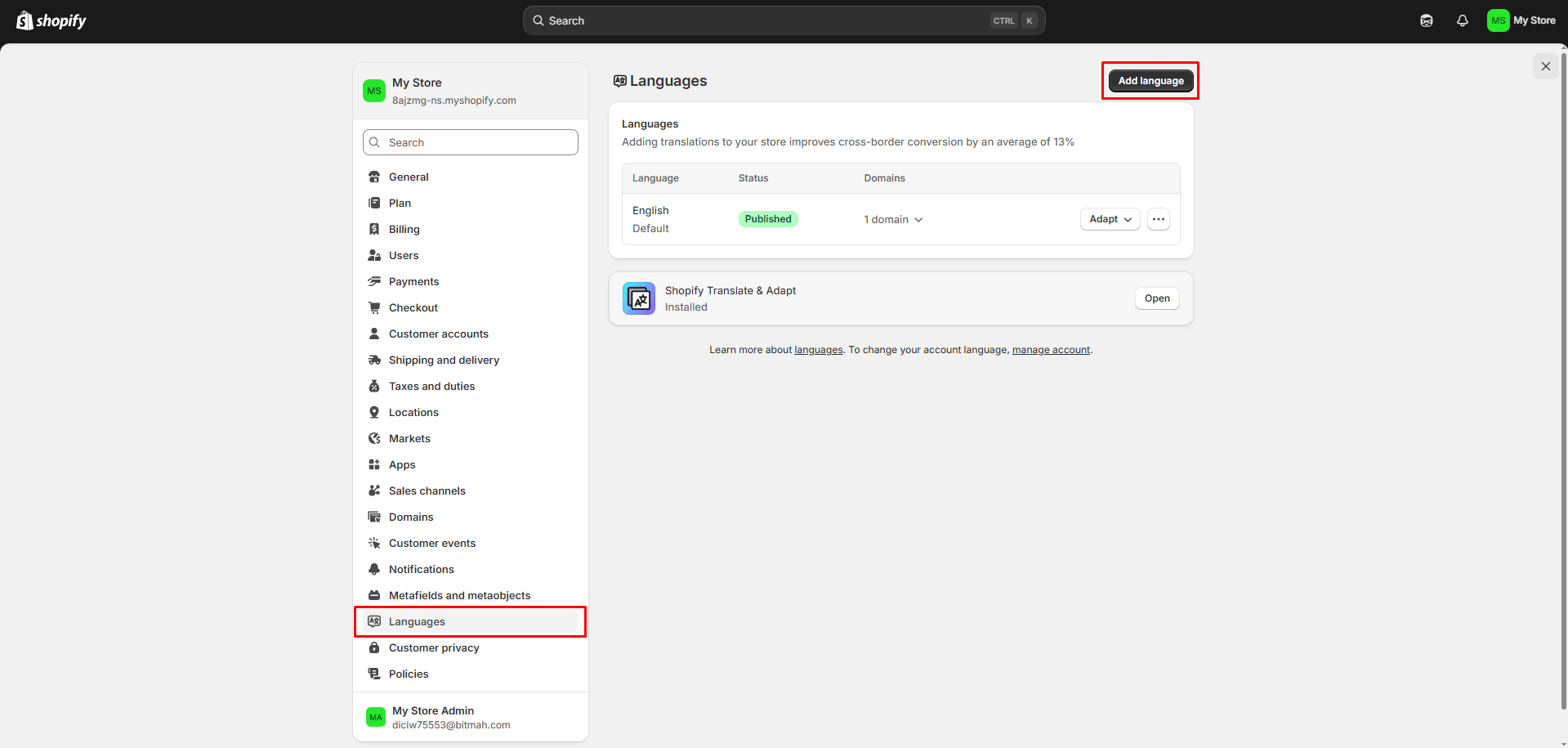
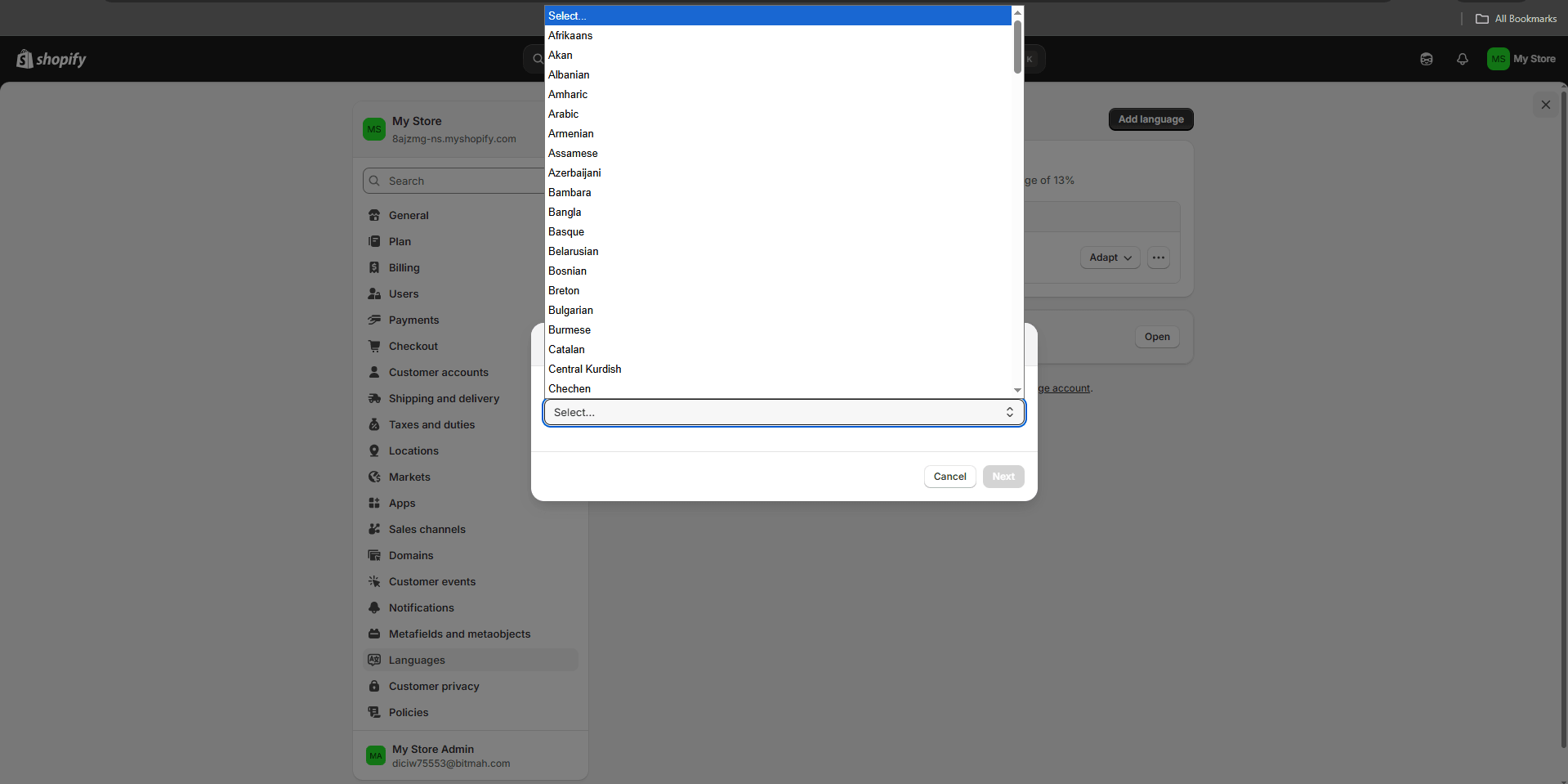
Choose the language and click Add.
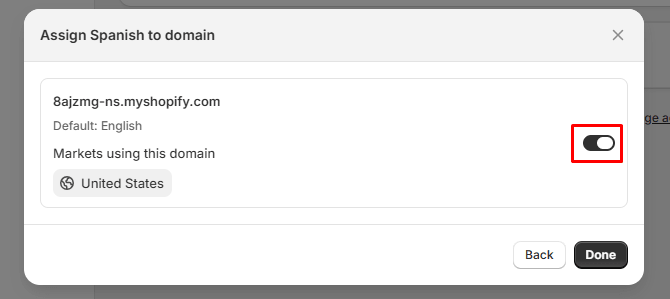
Turn the language on for your domain.
Step 2. Translate the checkout texts
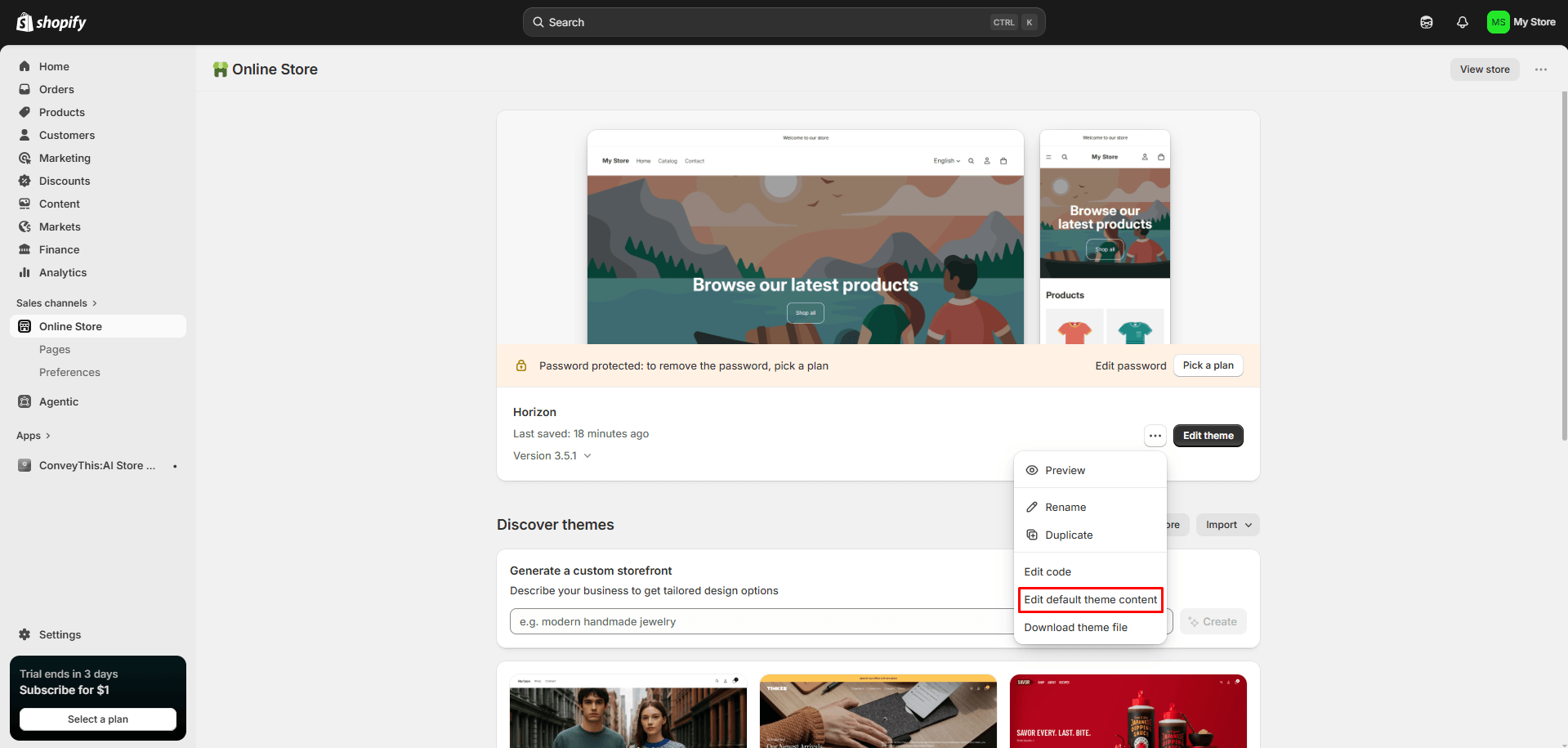
Ve a Online Store, click … next to your theme and choose Edit default theme content.
Haz clic en Localize in the top right.
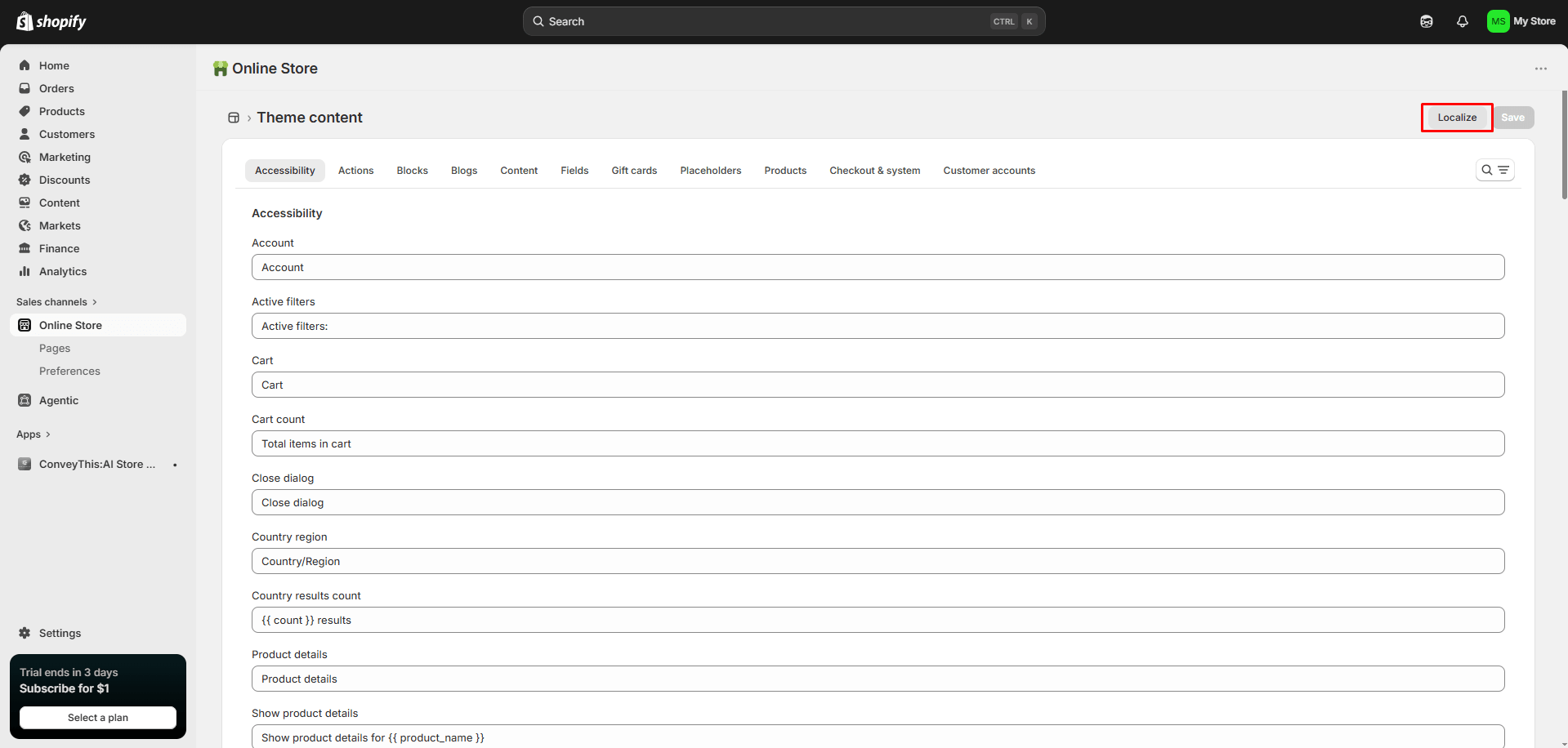
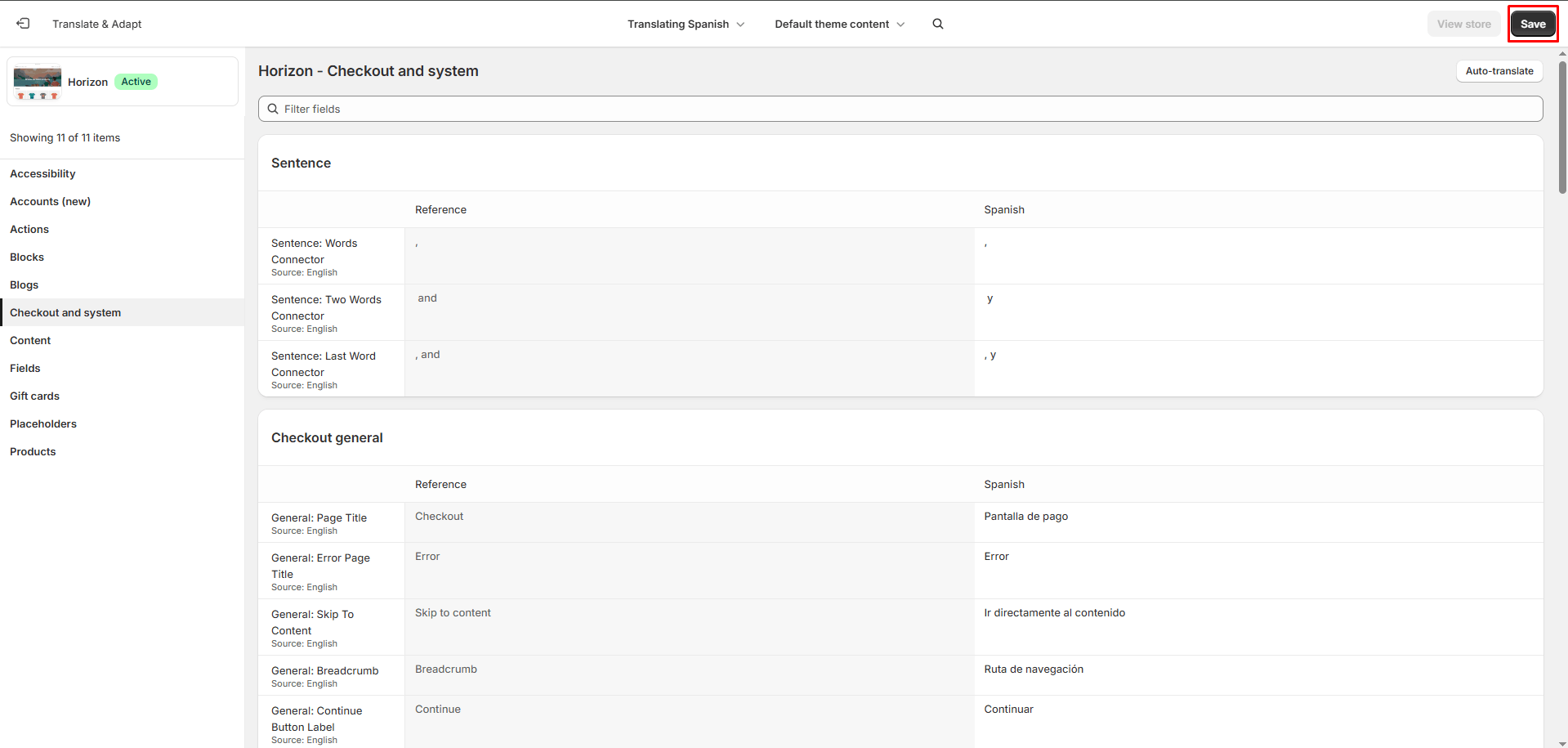
Abre Checkout and system tab, add your translations and click Save.
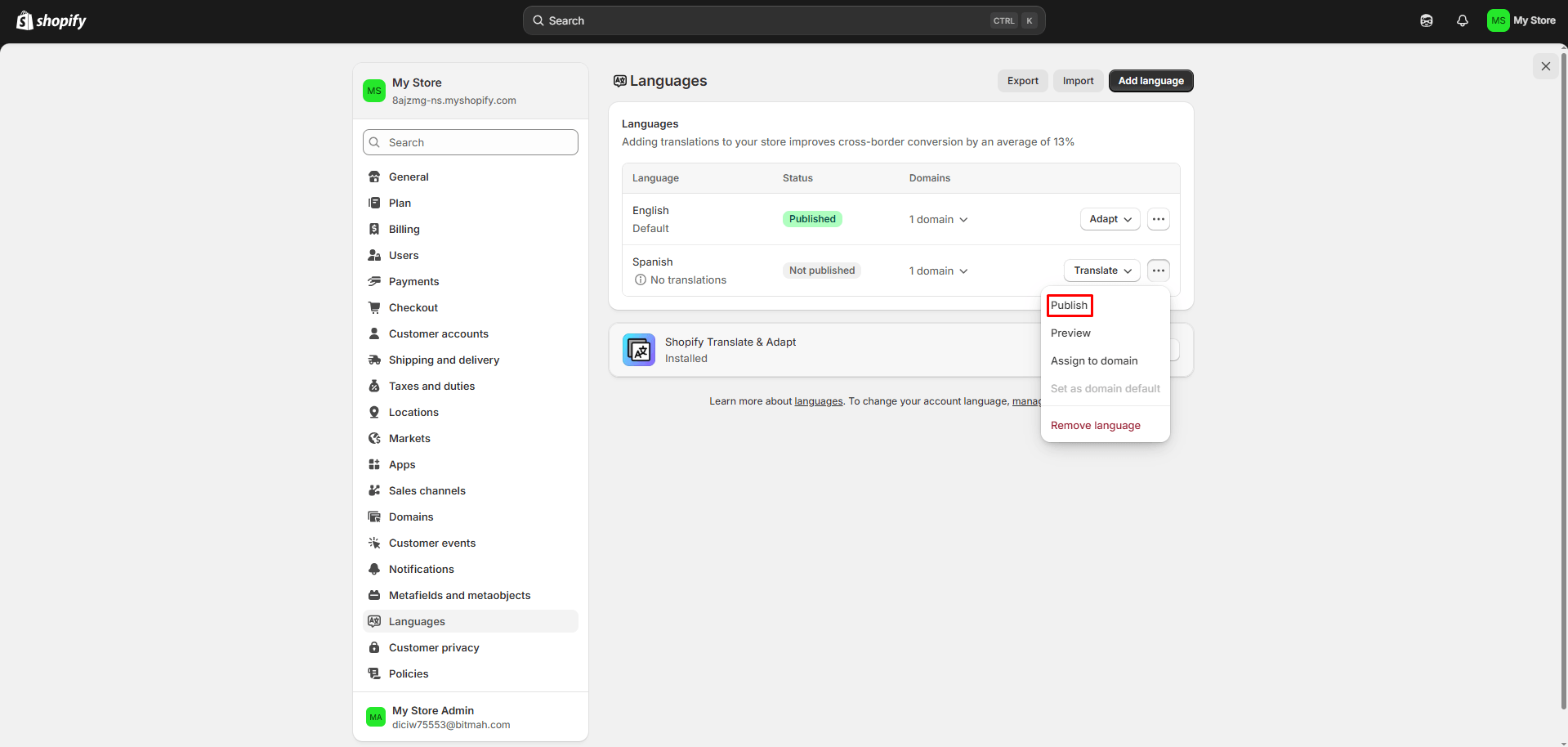
Step 3. Publish the language
Go back to Settings → Languages, click … next to the language and choose Publish.
Open your store, switch the language and go to checkout. It’s now translated.
I see two language switchers
When Shopify languages are published, your theme can show its own language selector next to the ConveyThis switcher. Turn off the theme’s selector in the theme editor, or hide the ConveyThis switcher on some pages. See Excluir páginas y elementos de la traducción.