
Angular Complemento de traducción
How Do You Install ConveyThis On:
Integrating ConveyThis into your site is fast and easy, and Angular is no exception. In just a few minutes you’ll learn just how to install ConveyThis to Angular and start giving it the multilingual functionality you need.
Paso #1
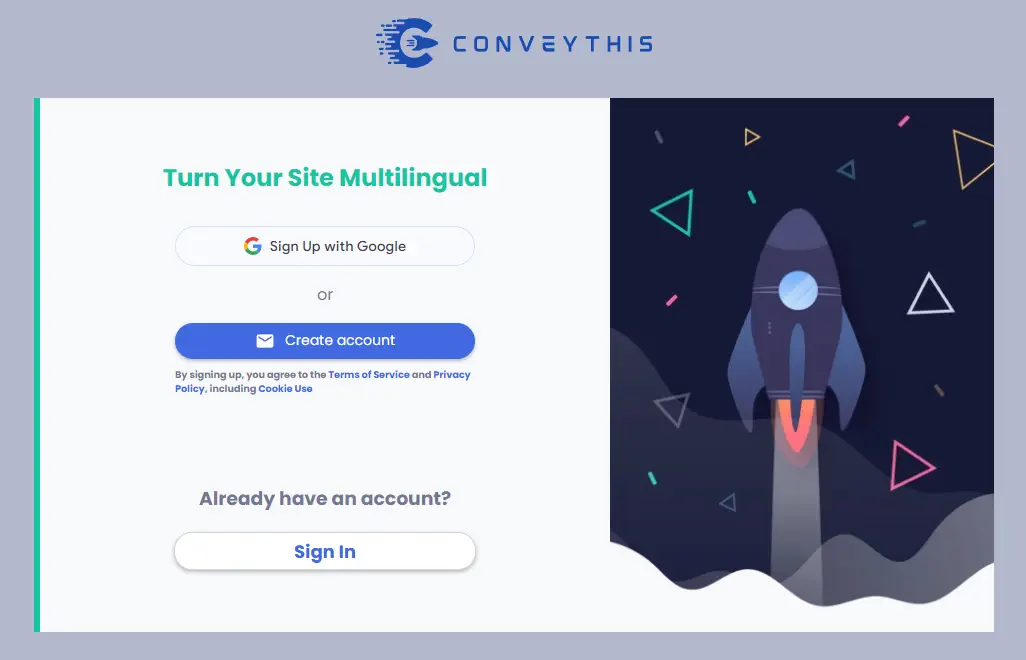
Crear a ConveyThis account, confirm your email, and access your account’s dashboard.
Paso #2
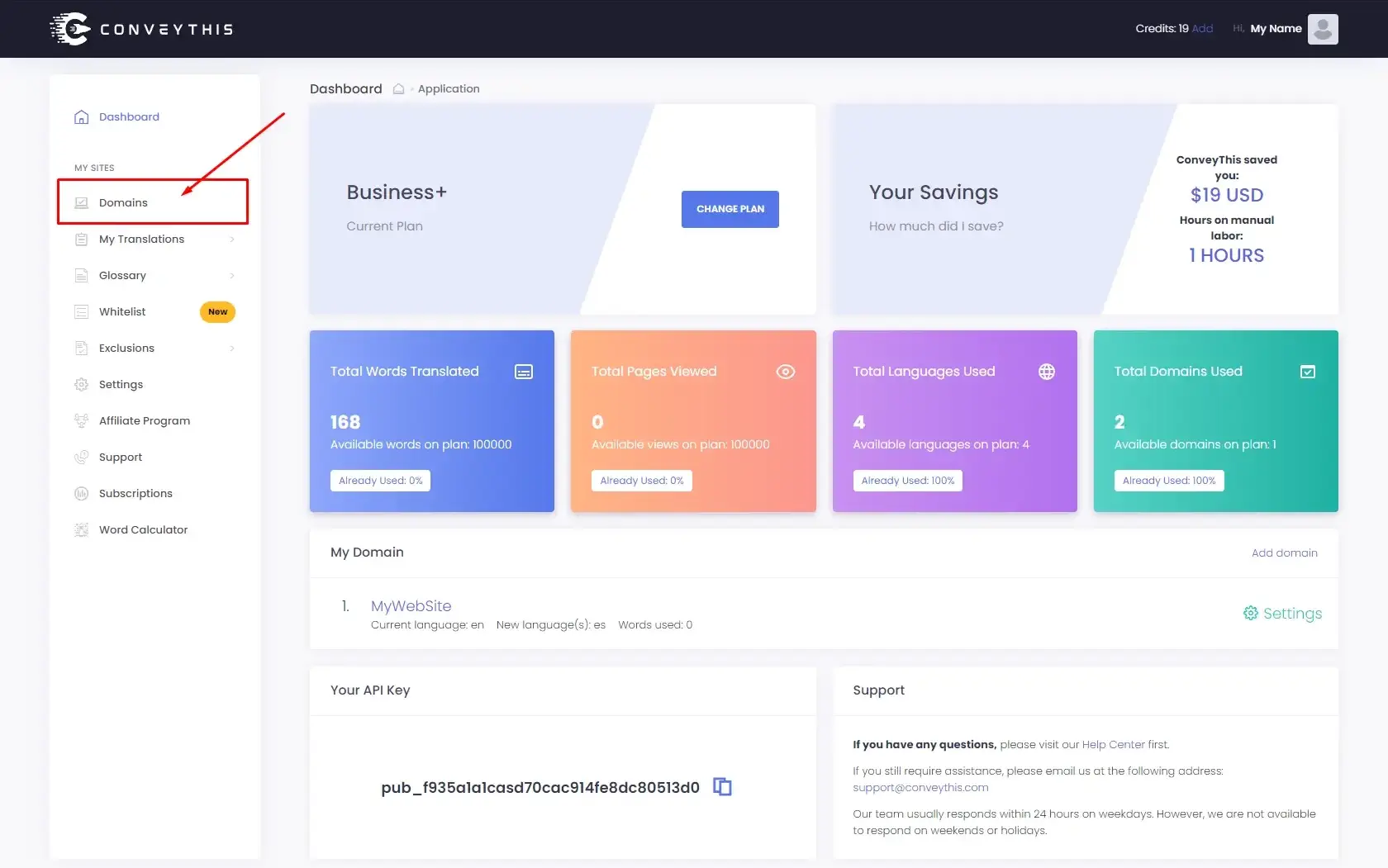
En tu panel (you have to be logged in) navigate to «Domains» in the upper menu.
Paso #3
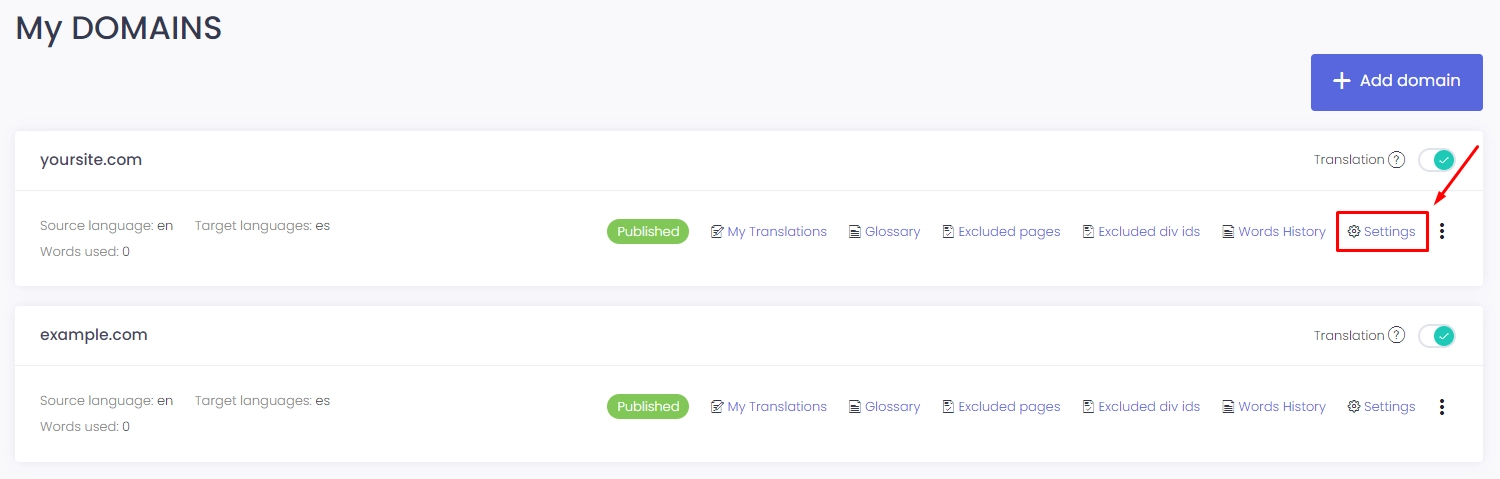
En esta página haga clic en “Agregar dominio”.
No hay forma de cambiar el nombre de dominio, por lo que si cometió un error con el nombre de dominio existente, simplemente elimínelo y cree el nuevo.
Una vez que haya terminado, haga clic en “Configuración”.
*Si instalaste ConveyThis anteriormente para WordPress/Joomla/Shopify, tu nombre de dominio ya estaba sincronizado con ConveyThis y será visible en esta página.
You can skip adding domain step and just click to «Settings» next to your domain.
Paso #4
Ahora estás en la página de configuración principal.
Seleccione el idioma(s) de origen y de destino para su sitio web.
Haga clic en “Guardar configuración”.
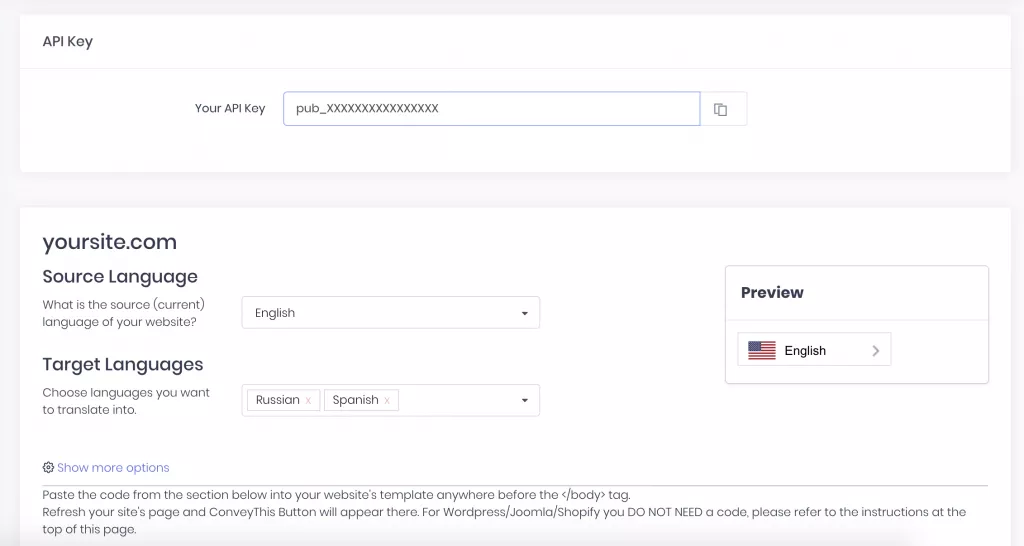
Paso #5
Ahora desplácese hacia abajo y copie el código JavaScript del campo a continuación.
<!-- ConveyThis code -->
<script src="https://cdn.conveythis.com/javascript/conveythis-initializer.js"></script>
<script type="text/javascript">
  document.addEventListener("DOMContentLoaded", function(e) {
    ConveyThis_Initializer.init({
      api_key: "pub_xxxxxxxxxxxxxxxxxxxxxxxx"
    });
  });
</script>
<!-- End ConveyThis code -->
*Más adelante es posible que desees realizar algunos cambios en la configuración. Para aplicarlos, primero deberá realizar esos cambios y luego copiar el código actualizado en esta página.
*Para WordPress/Joomla/Shopify NO necesitas este código. Para obtener más información, consulte las instrucciones de la plataforma asociada.
Paso #6
Insert ConveyThis code snippet in your index.html or layout file’s tags right before
Paso #7
Eso es todo. Visite su sitio web, actualice la página y allí aparecerá el botón de idioma.
Congratulations, now you can start translating your website.
*If you want to customize the button or get familiar with an additional settings, please go back to the main configuration page (with language settings) and click «Show more options».