
Integración con Wix
Integrar ConveyThis en su sitio es rápido y sencillo, y Wix no es una excepción. Agrega la aplicación ConveyThis desde el mercado de aplicaciones Wix, elige tus idiomas y ConveyThis agrega el selector de idioma a tu sitio por ti. No hay código para pegar ni registro separado.
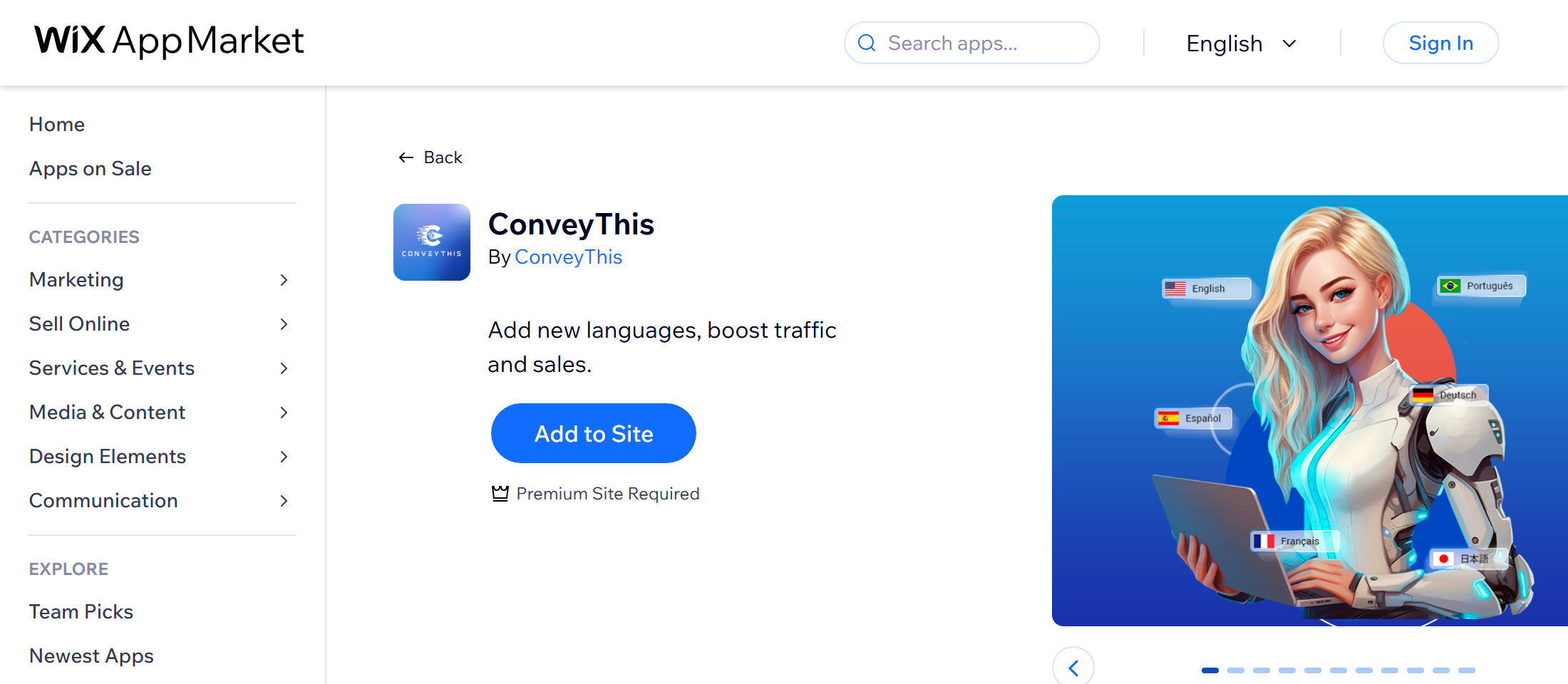
1) Agregue ConveyThis del mercado de aplicaciones Wix
En su panel Wix, vaya a Aplicaciones → Mercado de aplicaciones. Buscar ConveyThis y haga clic Añadir al sitio. Revise los permisos que solicita Wix y confirme.
2) Elige tus idiomas
Wix abre la configuración ConveyThis. Su cuenta ConveyThis se crea para usted con la dirección de correo electrónico de su sitio Wix, en el plan gratuito.
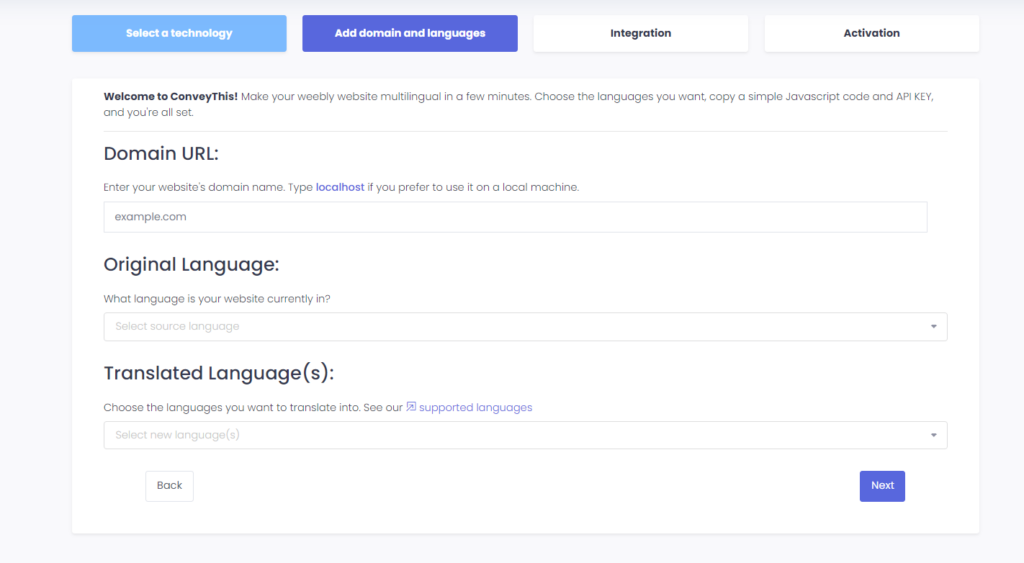
Confirme su dominio, elija el idioma en el que está escrito su sitio y los idiomas que desea agregar, luego guarde.
3) ¡Ya terminaste!
Eso es todo. ConveyThis agrega su script a su sitio Wix automáticamente. Abra su sitio web: el selector de idioma aparece en la esquina inferior derecha. Puede tardar uno o dos minutos en aparecer la primera vez.
Para gestionar tus traducciones más tarde, ve a Aplicaciones → ConveyThis en tu panel Wix. El panel ConveyThis se abre justo dentro de Wix.
Planes y facturación en Wix
Cuando instala ConveyThis desde Wix App Market, su plan se factura mediante Wix. Cada sitio comienza con el plan gratuito, que es el predeterminado y no necesita compra.
- Para actualizar: en el panel ConveyThis, abrir Plan y facturación y haga clic Elige en un plan pago. Lo llevarán al Wix checkout para completar la compra. Puedes comparar planes en nuestro página de precios.
- Para volver a Gratis: El plan gratuito no se puede seleccionar en la página de planes porque no es una compra. En su lugar, cancele su suscripción ConveyThis en su cuenta Wix a continuación Facturación y suscripciones. Su plan pago permanece activo hasta el final del período por el que pagó, luego su sitio pasa al plan gratuito automáticamente.
Solución de problemas
- “Debes ser propietario del sitio web.” Abra ConveyThis mientras haya iniciado sesión en Wix como propietario del sitio. Si el mensaje permanece, elimine la aplicación y agréguela nuevamente desde Wix App Market como propietario del sitio.
- “Cuenta no encontrada, intente reinstalar la aplicación.” Elimine ConveyThis de su sitio en Wix y agréguelo nuevamente desde Wix App Market.
Instalación sin la aplicación Wix
¿Ya tienes una cuenta ConveyThis o prefieres agregar el código tú mismo? Inicie sesión en ConveyThis, elige Wix como la tecnología de su sitio web durante la configuración y agregue su dominio e idiomas. Luego copie el código JavaScript que se muestra al final de la configuración.
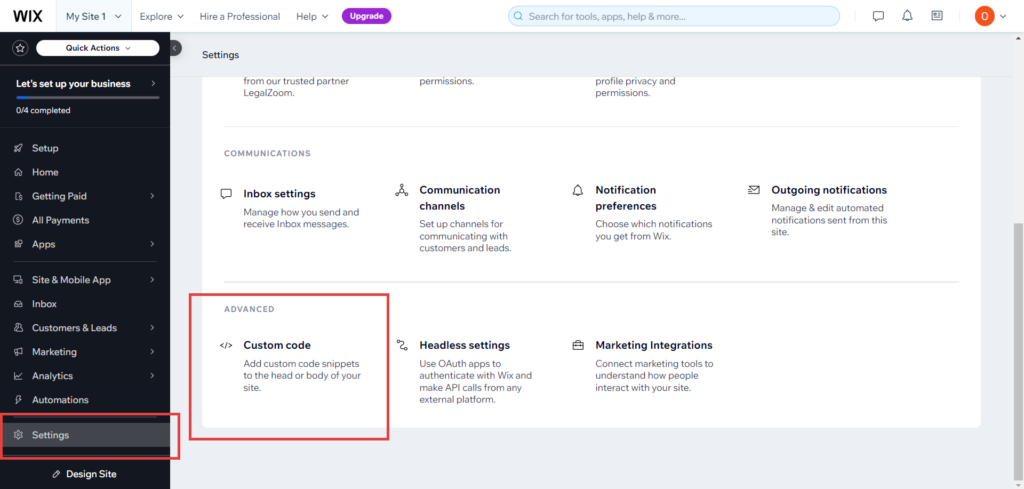
En su panel Wix, vaya a Configuración → Código personalizado y haga clic + Agregar código personalizado. Pegue el código, elija Todas las páginas y Cargar código una vez, y colóquelo en el Cabeza.
Con este método, su plan se factura directamente mediante ConveyThis, no a través de Wix, y usted lo administra en su panel de control ConveyThis.