
Why aren't my translation changes showing on my website?
When you save a translation in ConveyThis, we clear our own cache for that page right away, so the new translation is ready immediately. If your site still shows the old text, go through the checks below in order.
If parts of your site aren’t translated at all, see Why is my website not translated in some parts?
Step 1. Check in a private window
Your browser may be showing a saved copy of the page. Open the page in a private (incognito) window and switch to the language you edited.
You can also do a hard refresh on the page:
- Windows: Ctrl + F5
- Mac: Cmd + Shift + R
Step 2. Clear your website’s cache
A caching plugin (for example WP Rocket, LiteSpeed Cache or W3 Total Cache), your host’s cache or a CDN such as Cloudflare can keep showing an older version of the page. Clear the cache there, then reload the page.
Step 3. Make sure you edited the right text
Each text has its own translation, so check that you changed the one you see on the page:
- The text must match exactly. If the text on the page differs even slightly from the one you edited (a capital letter, punctuation, an extra word), it’s a separate text with its own translation.
- Each language is separate. Changing the German translation doesn’t change the French one.
- Some texts aren’t on the page itself. Meta tags (like the page title), image alt text, placeholders in form fields and translated URLs are separate texts. In the Text Editor, use the Segment type menu to find them.
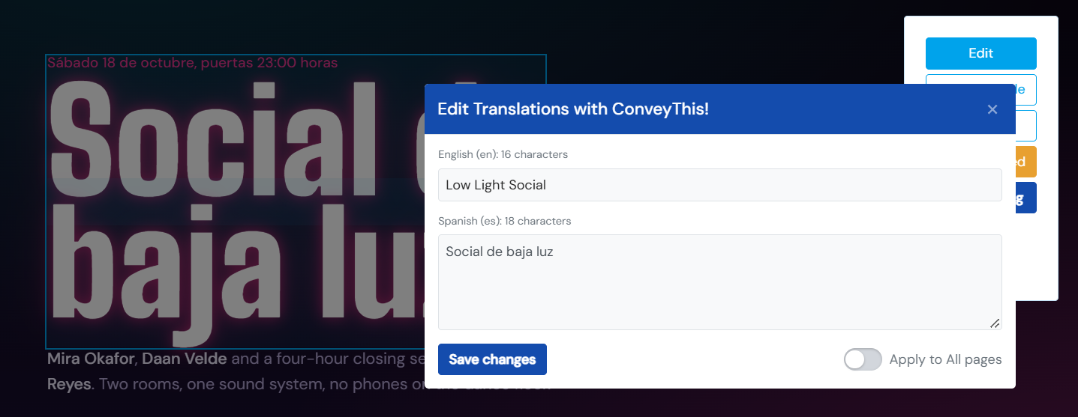
The easiest way to get it right is the Visual Editor. Open the page, click the exact text you see, and change it there. See How to use the Visual Editor.
Step 4. Check the switches on your domain
Go to Domains in your ConveyThis dashboard and look at the two switches on your website:
- Published turns the translation plugin on your website on or off. If it’s off, visitors don’t see any translations.
- Enable Translation controls whether new content on your site gets translated. If it’s off, new or changed text on your site isn’t translated.

Still not working?
Contact support and send us the page URL, the language, and the text you changed. We’ll check it for you.