How do I add ConveyThis to WooCommerce?
WooCommerce runs on WordPress, so you translate your store with the ConveyThis plugin for WordPress. Your product pages, categories, cart and other shop pages are translated like the rest of your website.
How do I add ConveyThis to WooCommerce?
- In your WordPress admin, go to Plugins > Add Plugin.
- Search for ConveyThis, click Install Now, then Activate.
- Open ConveyThis in the WordPress menu and click Need an API key? The ConveyThis setup opens: create your account (or log in), choose the current language of your store and the languages to translate into, and copy the API key from the Install step.
- Back in the plugin, paste the key and click Continue.
The language switcher appears in the bottom right corner of your store. See How do I add ConveyThis to WordPress? for every step with screenshots.
Good to know
- Your translated pages get their own addresses, like
example.com/es/, so search engines can find them. - If a cache plugin is active, clear its cache after you set up ConveyThis.
- To keep a page out of translation (for example your account pages), see Exclude pages from translation.
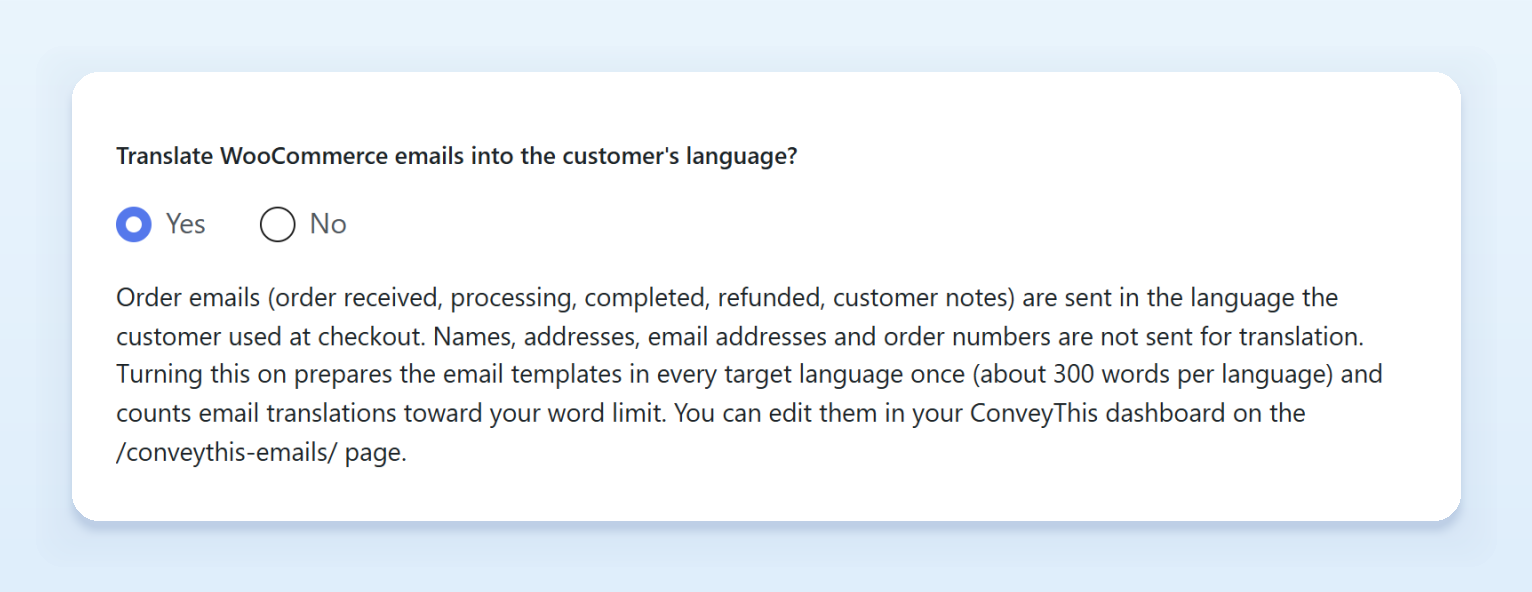
- Order emails can go out in the language your customer used at checkout. Turn on Translate WooCommerce emails into the customer’s language? on the Extended settings tab of the plugin. It’s off by default. See What does each setting in the WordPress plugin do?.
- For more options, such as translated page addresses, see What does each setting in the WordPress plugin do?.