How to Permanently Remove a Translation?
To make sure your translation is deleted from your ConveyThis account permanently, it is essential to follow both of the next steps. If either of these is not completed, the translation will reappear.
First Step
Exclude original content from the translation process
First, you have to exclude the related original content to ensure that your content won’t be translated in the future.
There are 2 ways to do that (depending on your choice):
1. Delete the original content from your original website
OR
2. Keep it on your website… But excluding the original content from your translation process.
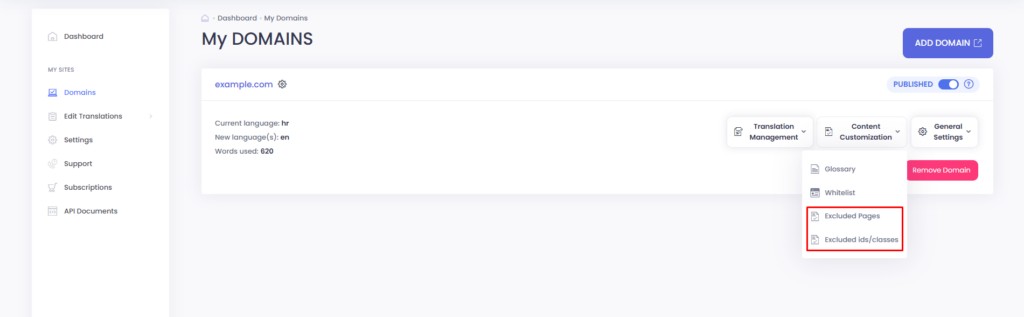
These settings can be found under My Domains → Your Domain Name → Excluded Pages/Excluded ids/classes. If you need help using these features, please refer to https://www.conveythis.com/help/exclude-pages-and-divs/.
Second Step
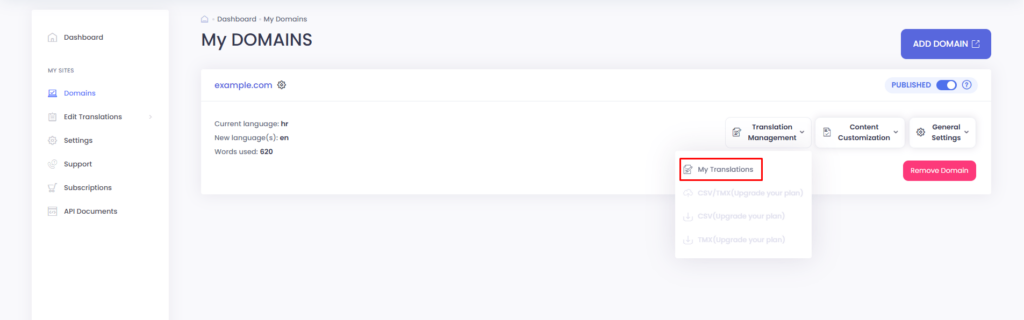
Even if your content is now excluded from the translation process, the content remains stored on your My Translations. So you have to remove it from your My Domains → Your Domain Name → Translation Management → My Translations..
Delete the original content from your original website using the text editor
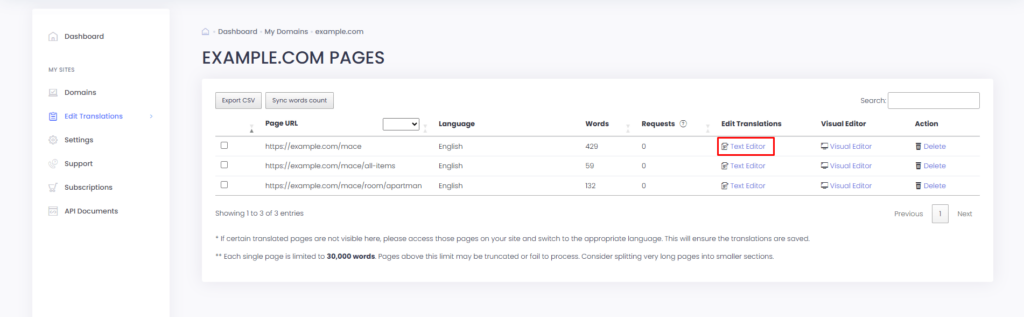
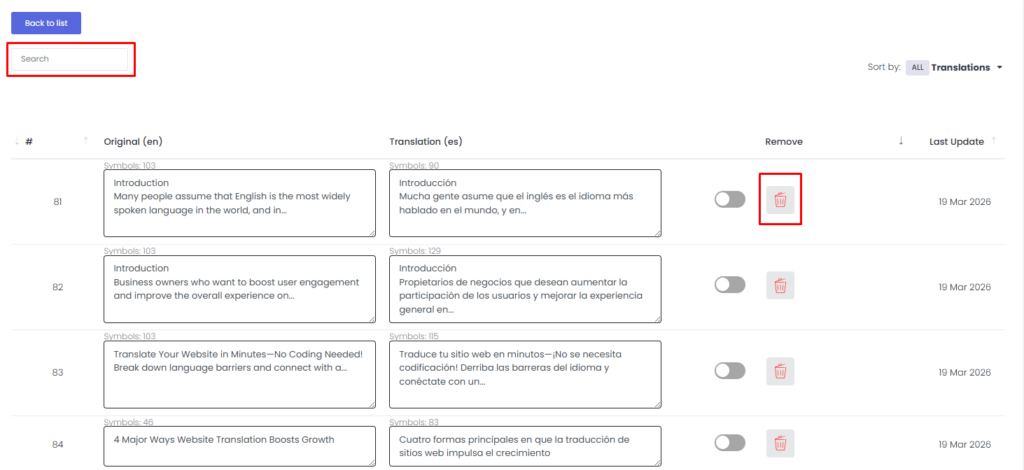
Go to My Translations → Edit Translations → Text Editor on the correct Page URL and click the trash button next to the translation you want to delete.
Note that you can use the search bar at the top to find the translation easily you would like to remove.