
How can I automatically redirect my visitors to their own language?
ConveyThis can send visitors to their own language automatically. It uses the language of the visitor’s browser, not their location. If someone’s browser is set to Spanish and Spanish is one of your languages, they see your Spanish pages right away.
How do I turn on automatic redirect?
- Go to Domains in your ConveyThis dashboard, open the Settings menu on your website and choose Settings.
- Expand Advanced.
- Set Redirect visitors to translated pages automatically based on user browser’s settings to Yes.
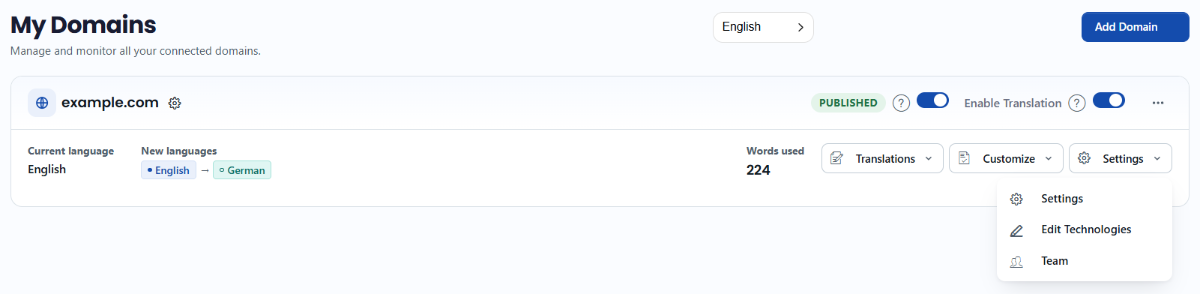
Your changes are saved automatically. This feature isn’t available on the Free plan.
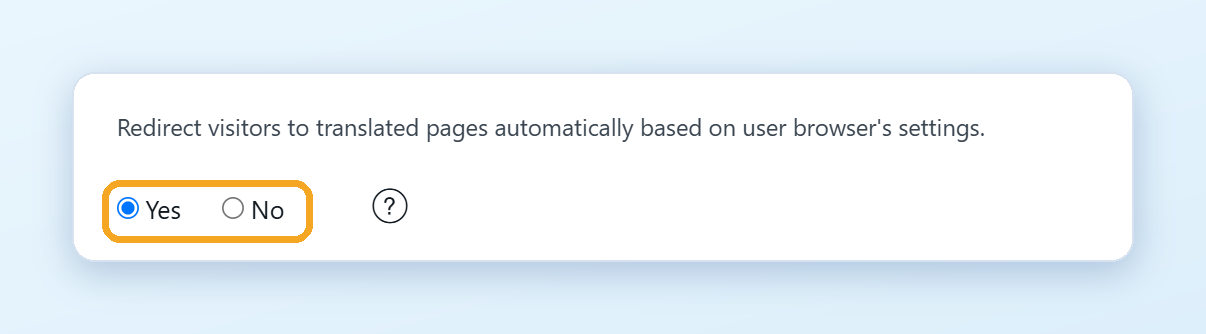
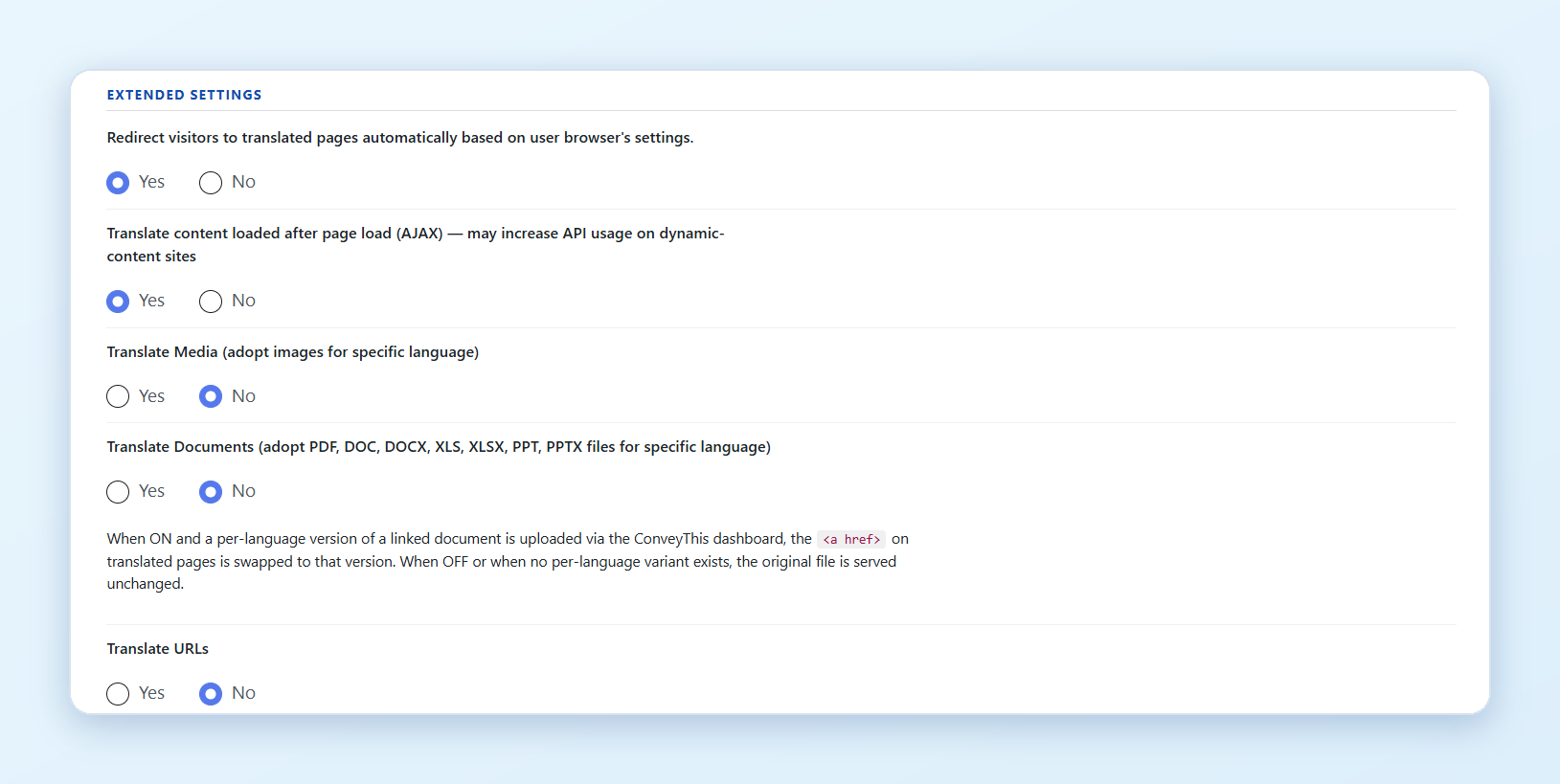
WordPress: in your WordPress admin, open ConveyThis, go to Extended settings, set the same option to Yes and click Save settings. In the plugin, the option is available from the Business plan.
How does it work?
- The redirect happens only on the first visit. After that, the language the visitor is on is remembered.
- If the visitor chooses another language in the switcher, their choice wins. They are not redirected again.
- If the browser language is your original language, or a language you don’t translate into, nothing happens.
- With the default address structure, the page simply shows in the visitor’s language. With Sub-domain addresses, visitors go to
es.example.com. With Sub-directory, toexample.com/es/. See Customize your URLs.
How do I test it?
Open your website in a private (incognito) window, so that no language is remembered yet. To test another language, change the preferred language in your browser settings first.
Good to know
Search engine bots can follow the redirect too. For good results in search, use Sub-domain or Sub-directory addresses, so that every language has its own address that search engines can find. See Sub-domain or sub-directory.