
How do I change my account email address?
You can change the email address of your ConveyThis account yourself, from your Profile. We send a confirmation link to the new address before the change takes effect.
How do I change my email address?
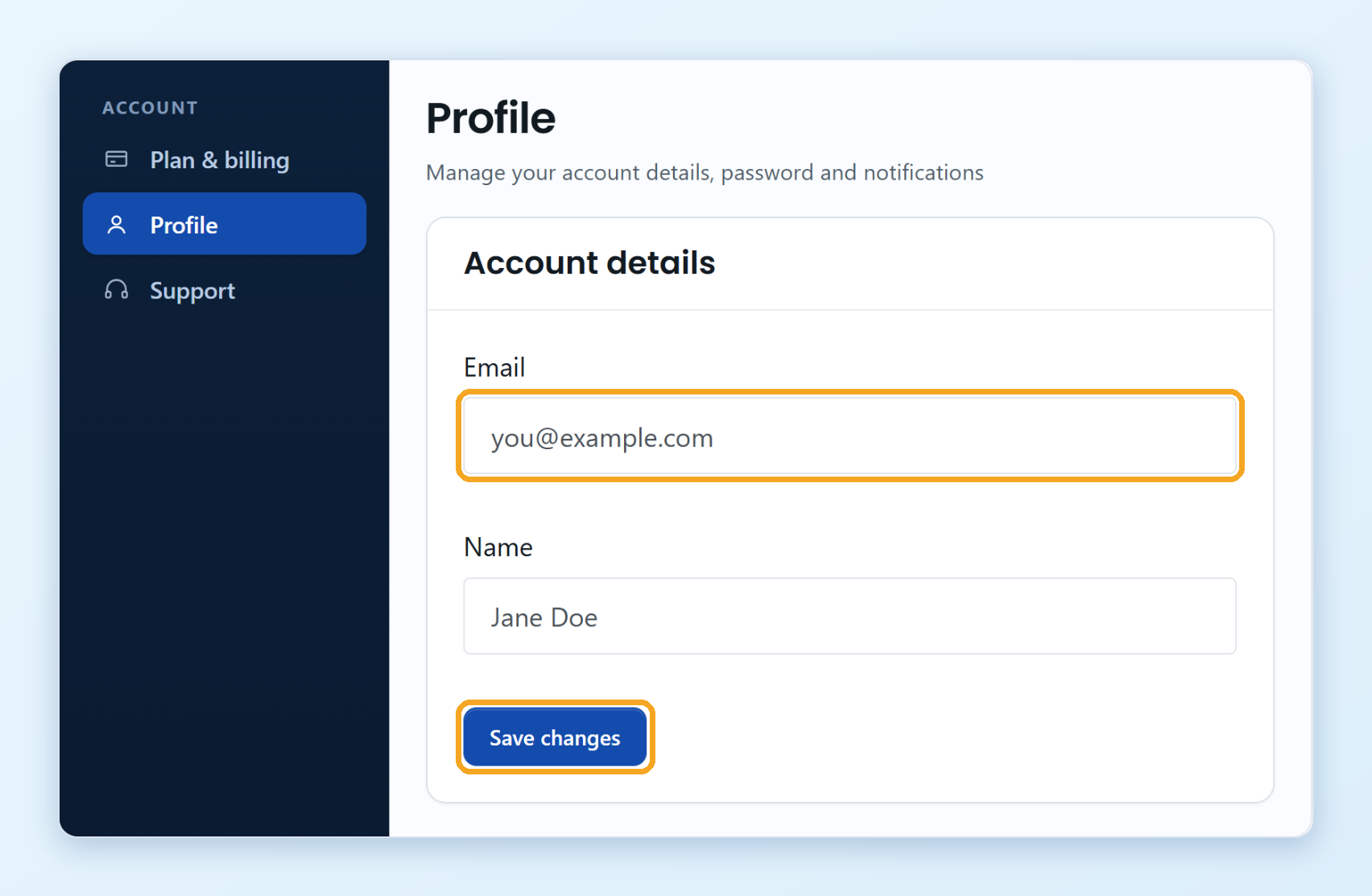
Log in to your ConveyThis dashboard and click Profile in the left menu.
In Email, replace your current address with the new one.
Click Save changes.
Open the email we send to your new address and click the confirmation link. The link works for 24 hours.
Until you confirm, your account keeps using the old address. After you confirm, use the new address to sign in.
What if the address is already in use?
Each email address can belong to only one ConveyThis account. If the new address is already used by another account, you see a message, and nothing changes.
I didn’t get the confirmation email
Check the spam folder of the new address. If the link expired, change the address again in your Profile and click Save changes to get a new link.
Can I change my name too?
Yes. Change it in Name on the same form and click Save changes. Your name changes right away, no confirmation needed.
I still have problems changing my email
Write to [email protected]. Send the message from the email address that is on your account now, and tell us the new address you want to use. We’ll help you change it.