
Why is my website not activated yet?
After you add a website to ConveyThis, it isn’t translated yet. Translation starts when ConveyThis finds its code on your website. Until then, the website is not activated.
How do I know my website is not activated yet?
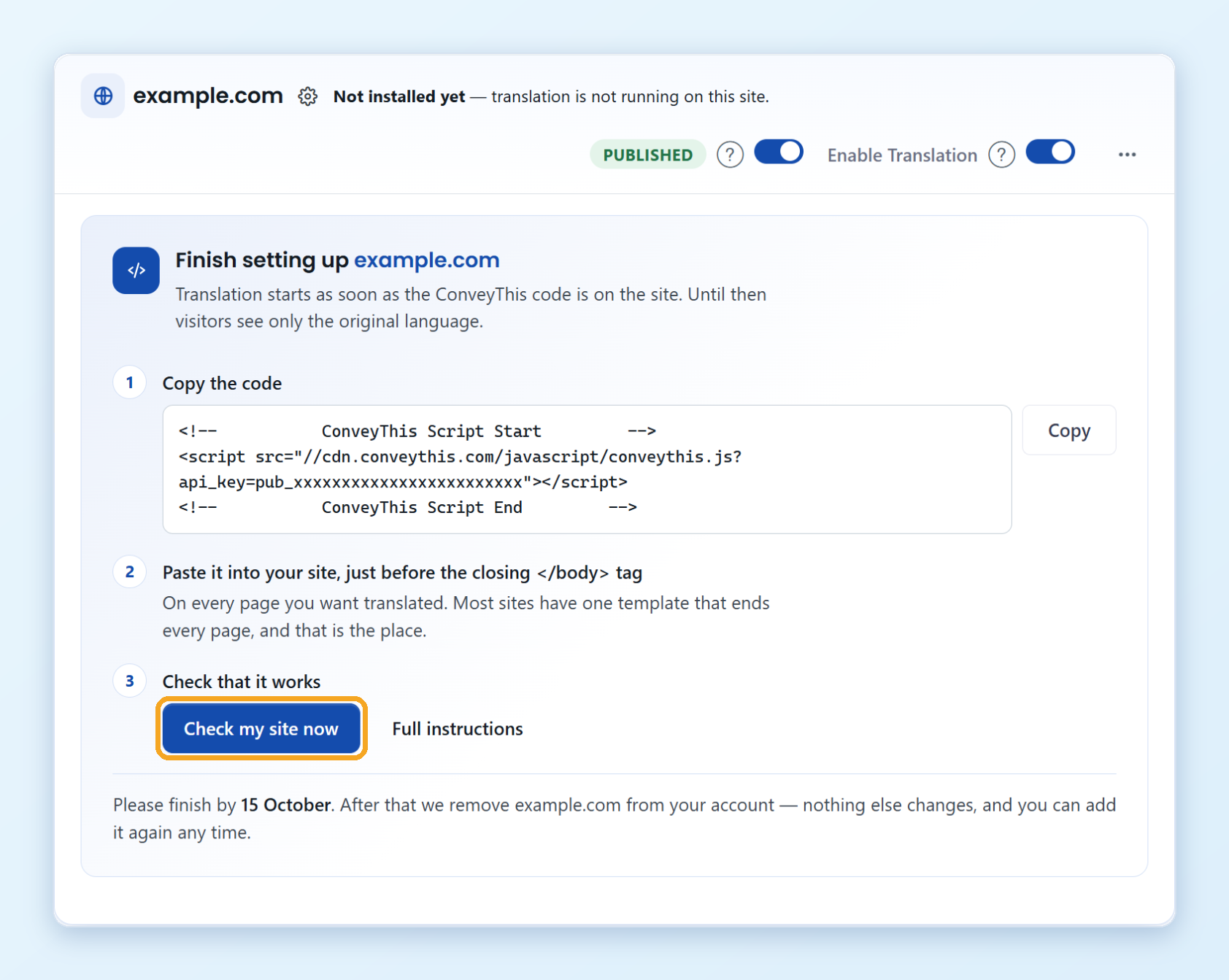
Open the Domains page (Domains in the left menu of your ConveyThis dashboard). Next to the website’s name you see Not installed yet, and its card shows a Finish setting up panel with the code to add and the buttons Check my site now and Full instructions.
How do I activate my website?
Add ConveyThis to your website: install the plugin or app for your platform, or paste the JavaScript code. Click Full instructions on the website’s card for the steps for your platform, or see:
Then click Check my site now. As soon as the code is found, the website is activated, the panel disappears and translation starts.
What happens if I don’t finish the setup?
You have 7 days to add the code. The card shows the date to finish by, and we send you reminders before then. A website that is still not activated after 7 days, and has nothing translated, is removed from your account. Nothing else in your account changes, and you can add the website again at any time.
The code is on my site, but the website is still not activated
- Clear the cache of your website, your caching plugin or your CDN, so visitors get the page with the new code.
- Make sure the code is on every page you want translated, just before the closing
</body>tag. - Check that the code uses the API key of your account. You find it on your Dashboard under Public API key.
If it still doesn’t work, write to [email protected] with the address of your website.