
How do I change the flag for a language?
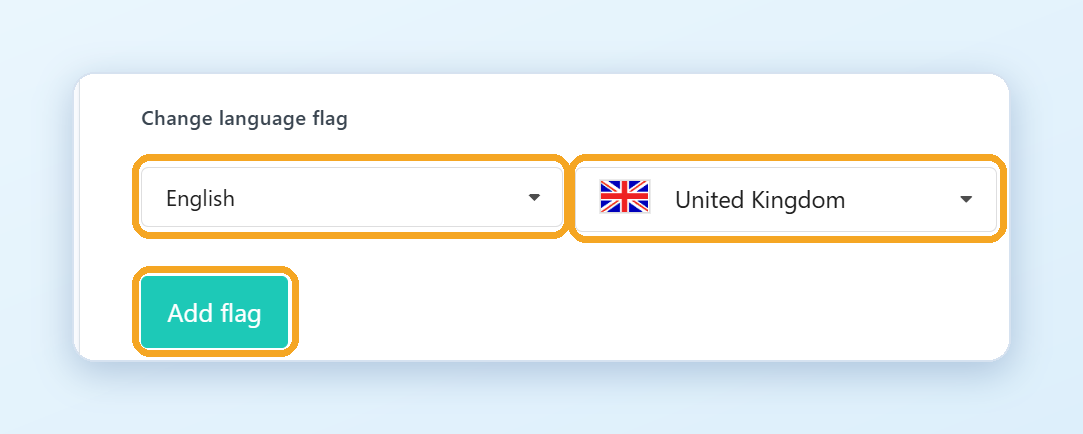
Each language in the switcher shows a flag. For example, English shows the US flag by default. You can change it, for example to the UK or Australian flag.
How do I change a flag?
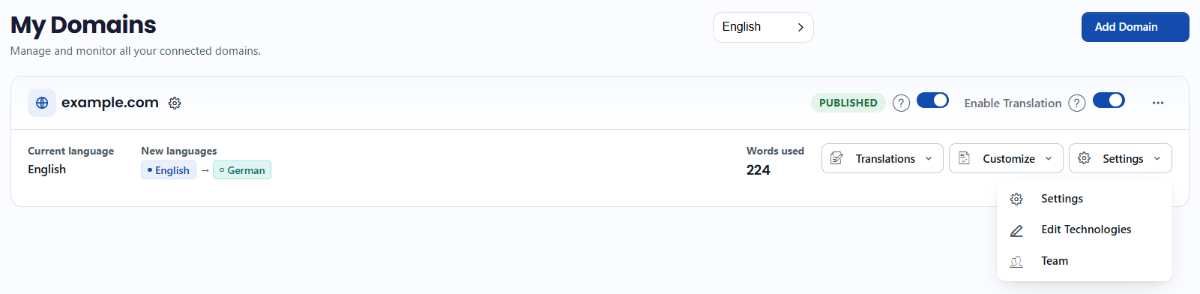
- Go to Domains in your ConveyThis dashboard, open the Settings menu on your website and choose Settings.
- Expand Advanced and find Change language flag.
- Choose the language, choose the flag you want for it and click Add flag.
Your changes are saved automatically.
Can I change how flags look or hide them?
Yes. In Advanced, under Picture, choose Rectangle flag, Square flag, Circle flag or Without flag. Under Language title, choose how the language name is shown, for example Español, Spanish or ES.
On WordPress, the switcher options are in the plugin: ConveyThis in the WordPress menu, then Widget Style.