我們能提供什麼協助?
Squarespace 整合
將 CoveyThis Translate 整合到任何網站都非常簡單,SquareSpace 平台也不例外。只需按照我們簡單易懂的逐步指南操作,即可在幾分鐘內將 ConveyThis 添加到您的 SquareSpace 網站。
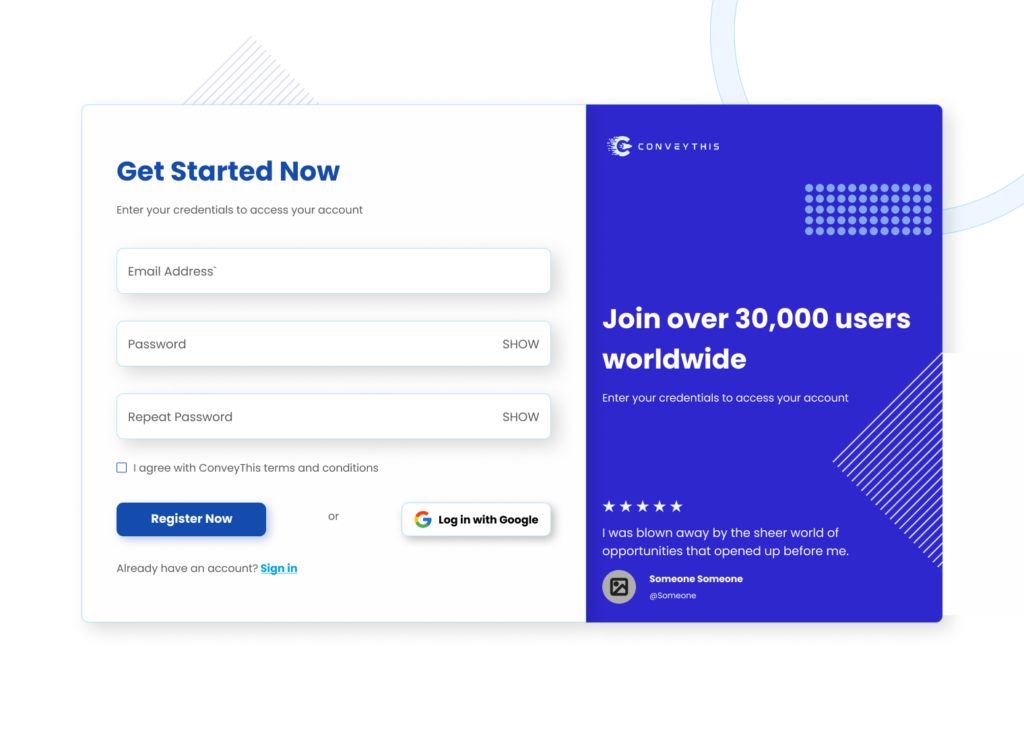
1) 建立一個ConveyThis 帳戶
首先,您可以透過 ConveyThis 帳戶控制面板檢視和管理所有翻譯。只需在此處建立一個 ConveyThis 帳戶即可。
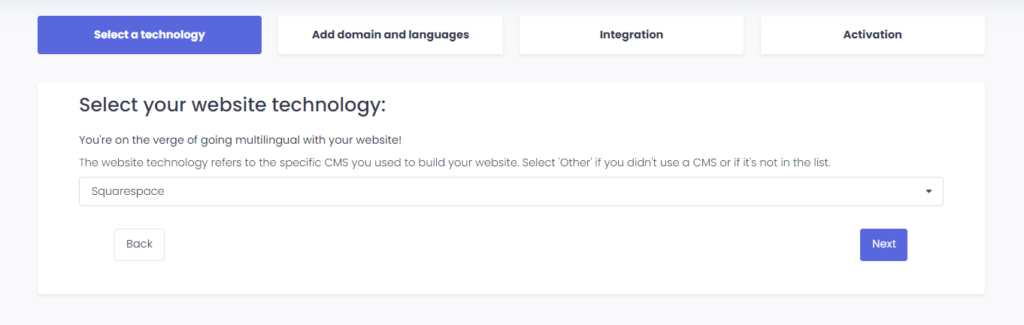
2) 透過 ConveyThis 選擇您的插件
網站技術是指您用於建立網站的特定 CMS,在本例中為 SquareSpace。
按一下“下一步”繼續執行下一步。
點擊“下一步”後,輸入您的網域並指明您要將網站翻譯成的語言。
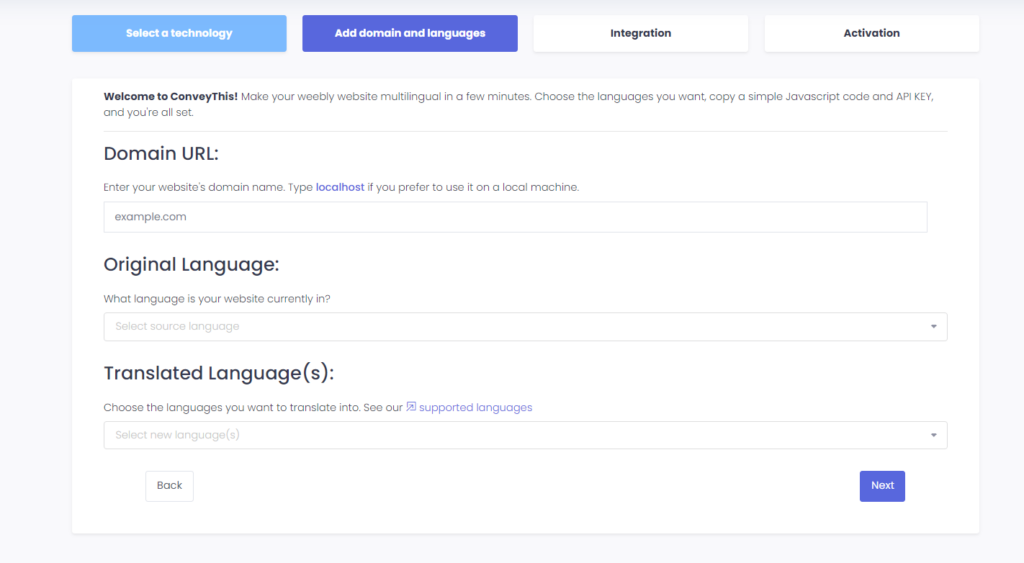
按一下“下一步”進入下一步。
3) 安裝ConveyThis插件
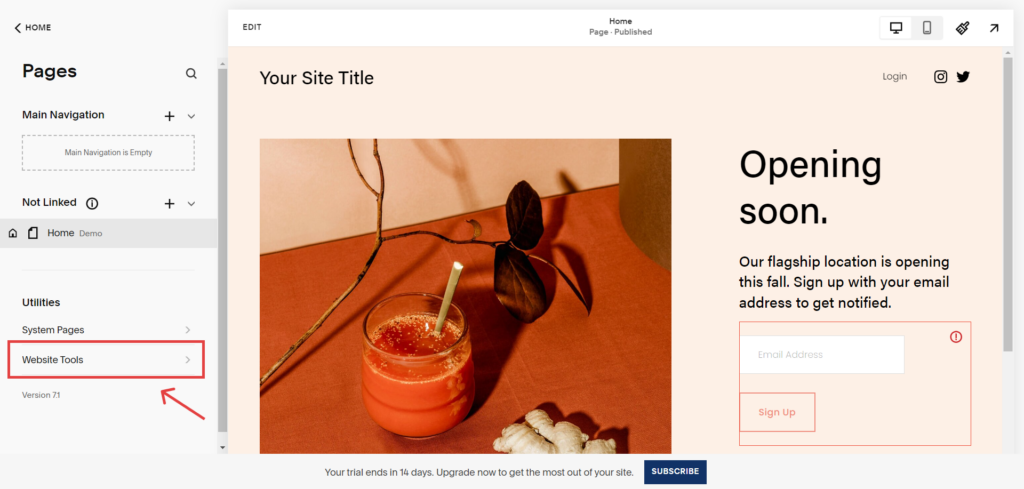
在 SquareSpace 網站上,導覽至Squarespace 控制面板 > 網站 > 頁面。
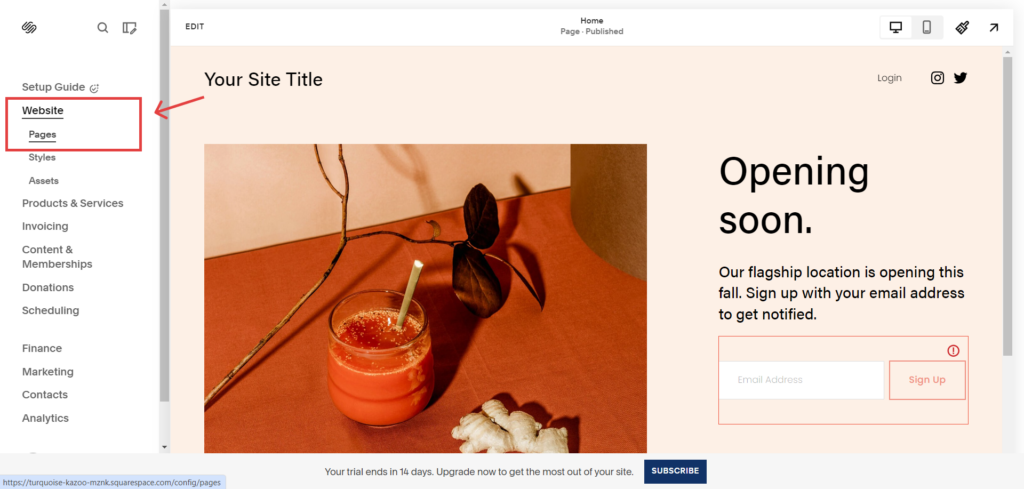
然後,導覽至「網站工具」 。
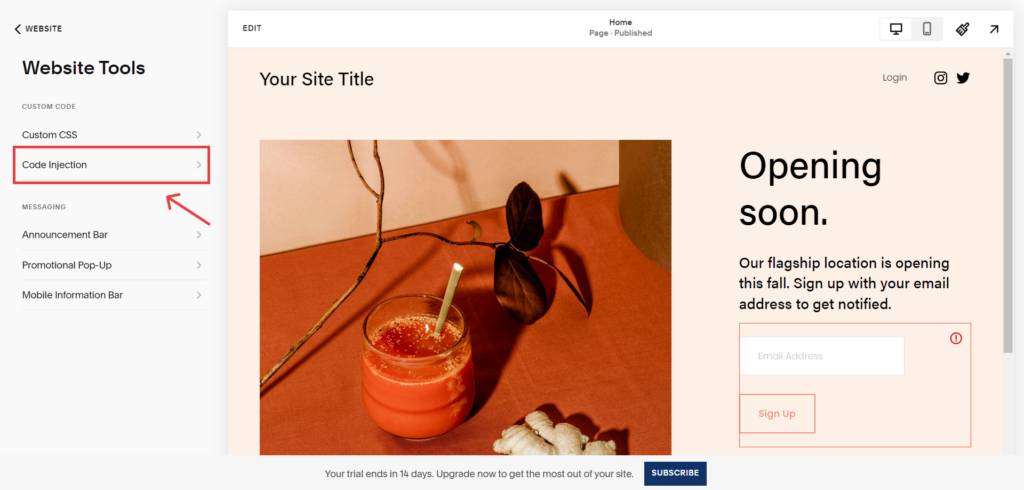
重新導向至「網站工具」頁面後,點選「程式碼注入」 。
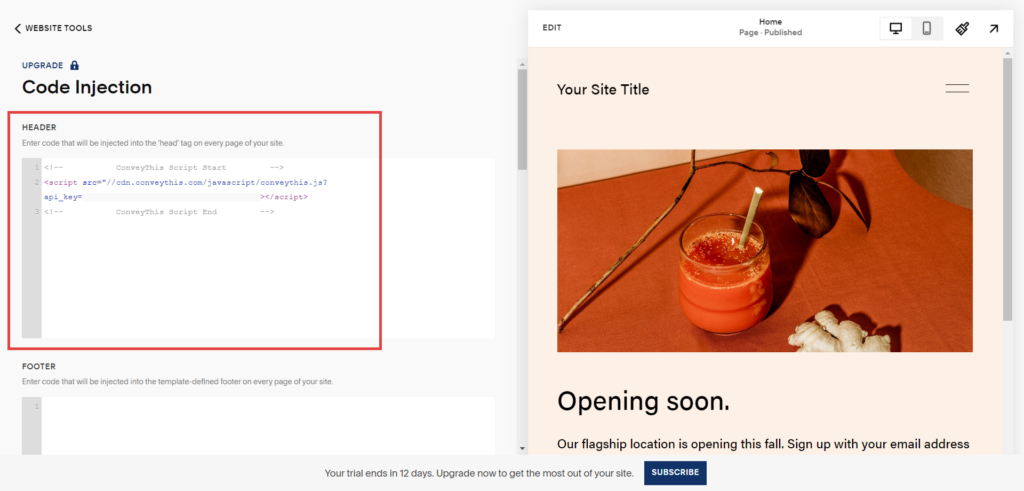
最後一步是將 ConveyThis 提供的程式碼片段插入到 SquareSpace 網站配置的頭部,並儲存變更。
4)你已經完成了!
就是這樣。前往您的網站並查看右下角的語言切換按鈕。它可能需要幾分鐘才會出現,所以如果您必須稍等一下,請不要擔心。
嘗試在語言切換器出現時更改語言 - 就像魔術一樣,您的網站是多語言的!現在您可以前往 ConveyThis 儀表板來管理您的所有翻譯。
恭喜,現在您可以開始翻譯您的網站了!