

How to Add Google Translate to Your Website ⭐️ ConveyThis
ロゴ
  • ホーム
  • 統合
    • メニュー画像
      ワードプレス
    • メニュー画像
      Shopify
    • メニュー画像
      ウィックス
    • メニュー画像
      ウェブフロー
    • メニュー画像
      スクエアスペース
    • メニュー画像
      ジャバスクリプト
    • メニュー画像
      すべての統合を見る
  • 価格
  • サポート
    • メニュー画像
      よくある質問
    • メニュー画像
      ヘルプセンター
    • メニュー画像
      APIドキュメント
  • ブログ
ログインする
登録
  • ホーム
  • 統合
      メニュー画像
      ワードプレス
      Integrating ConveyThis WordPress plugin into your site is fast and easy, and WordPress is no exception.
      メニュー画像
      Shopify
      Integrating ConveyThis into your site is fast and easy, and Shopify is no exception.
      メニュー画像
      ウィックス
      Integrating ConveyThis Translate into any website is incredibly simple, and JavaScript framework is no exception.
      メニュー画像
      ウェブフロー
      Integrating ConveyThis Webflow plugin into your site is fast and easy, and WebFlow is no exception.
      メニュー画像
      スクエアスペース
      Integrating ConveyThis Translate into any website is incredibly simple, and SquareSpace framework is no exception.
      メニュー画像
      ジャバスクリプト
      Integrating ConveyThis Translate into any website is incredibly simple, and JavaScript framework is no exception.
      統合が表示されませんか? メニュー画像
      ConveyThis is compatible with over 20 CMS integrations.
      すべての統合を見る
  • 価格
  • サポート
      メニュー画像
      よくある質問
      Get answers to your ConveyThis questions
      メニュー画像
      ヘルプセンター
      ご質問にお答えできるようお手伝いいたします
      メニュー画像
      APIドキュメント
      開発者向け総合ガイド
  • ブログ
ログインする
登録

ウェブサイトにGoogle翻訳を追加する方法

5 分でウェブサイトを多言語化
始める
もっと詳しく知る
✔ カード情報なし ✔ 義務なし
badge 2023
badge 2024
badge 2025
2024年8月16日公開
ユリー・B.
この投稿を要約すると次のようになります:

Google 翻訳を Web サイトに追加するには、次の手順に従います。

  1. Google 翻訳の Web サイト (https://translate.google.com/) にアクセスし、ページ下部の「設定」ボタンをクリックします。
  2. 「今すぐあなたのウェブサイトに追加」ボタンをクリックしてください。
  3. ドロップダウンメニューから ウェブサイトを翻訳 したい言語を選択します。
  4. 翻訳ウィジェットのレイアウトとデザインのオプションを選択します。サイズ、言語の選択方法、配色をカスタマイズできます。
  5. 「コードを取得」ボタンをクリックして、翻訳ウィジェットのHTMLコードを生成します。
  6. HTMLコードをコピーして、 翻訳ウィジェット を表示したいWebサイトのHTMLコードに貼り付けます。ヘッダー、フッター、またはページのその他の部分に追加できます。
  7. 変更を保存してページを更新し、翻訳ウィジェットの動作を確認します。

それです!これで、Web サイトには、訪問者がページを好みの言語に翻訳できる Google 翻訳 ウィジェットが機能するはずです。

事業リスト
ビジネスソリューション

ConveyThis is the best tool to make multi language websites

X サイトを翻訳する

ConveyThis offers translations in over 100 languages, from Afrikaans to Zulu


SEOを念頭に置いて

弊社の翻訳は海外牽引に最適化された検索エンジンです


無料試用

Our free trial plan lets you see just how well ConveyThis works for your site

この投稿を要約すると次のようになります:
バナー
最近の投稿
画像を投稿
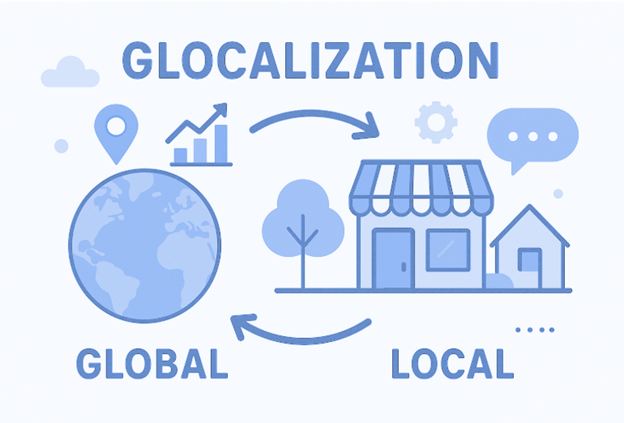
グローバルビジネスの成功のためのグローカリゼーション戦略
画像を投稿
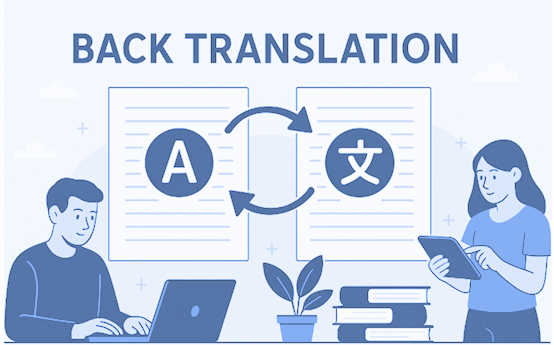
多言語コミュニケーションにおけるバック翻訳の重要性
画像を投稿
Weglot vs ConveyThis - Detailed Comparison 2025
始める準備はできましたか?

翻訳は、単に言語を知るということ以上の複雑なプロセスです。

By following our tips and using ConveyThis , your translated pages will resonate with your audience, feeling native to the target language.

While it demands effort, the result is rewarding. If you’re translating a website, ConveyThis can save you hours with automated machine translation.

Try ConveyThis free for 3 days!

無料で始める
CONVEYTHIS
アメリカ製
ConveyThis is a registered trademark of ConveyThis LLC
始める
会社
  • 私たちに関しては
  • 押す
  • パートナー
  • アフィリエイトパートナー
  • 価格
  • キャリア
法的
  • プライバシー
  • 条項
  • コンプライアンス
  • EEOP
  • クッキー
  • セキュリティステートメント
フォローしてください

Ⓒ 2025 All rights reserved by ConveyThis LLC
Français Português Deutsch Español Tiếng Việt Русский العربية Italiano Türkçe 繁體 ภาษาไทย Polski Українська Tagalog Română 한국어 日本語 Bahasa Indonesia Magyar हिन्दी עברית Nederlands Dansk Čeština 简体
English